

Long-term memory for AI coding agents that doesn't burn the context window.
A knowledge graph your agent searches cheaply, and a web UI where you can see and edit all of it.





Install · Quick start · Web UI · How it works · Tools · Setup for 13 agents · Contributing
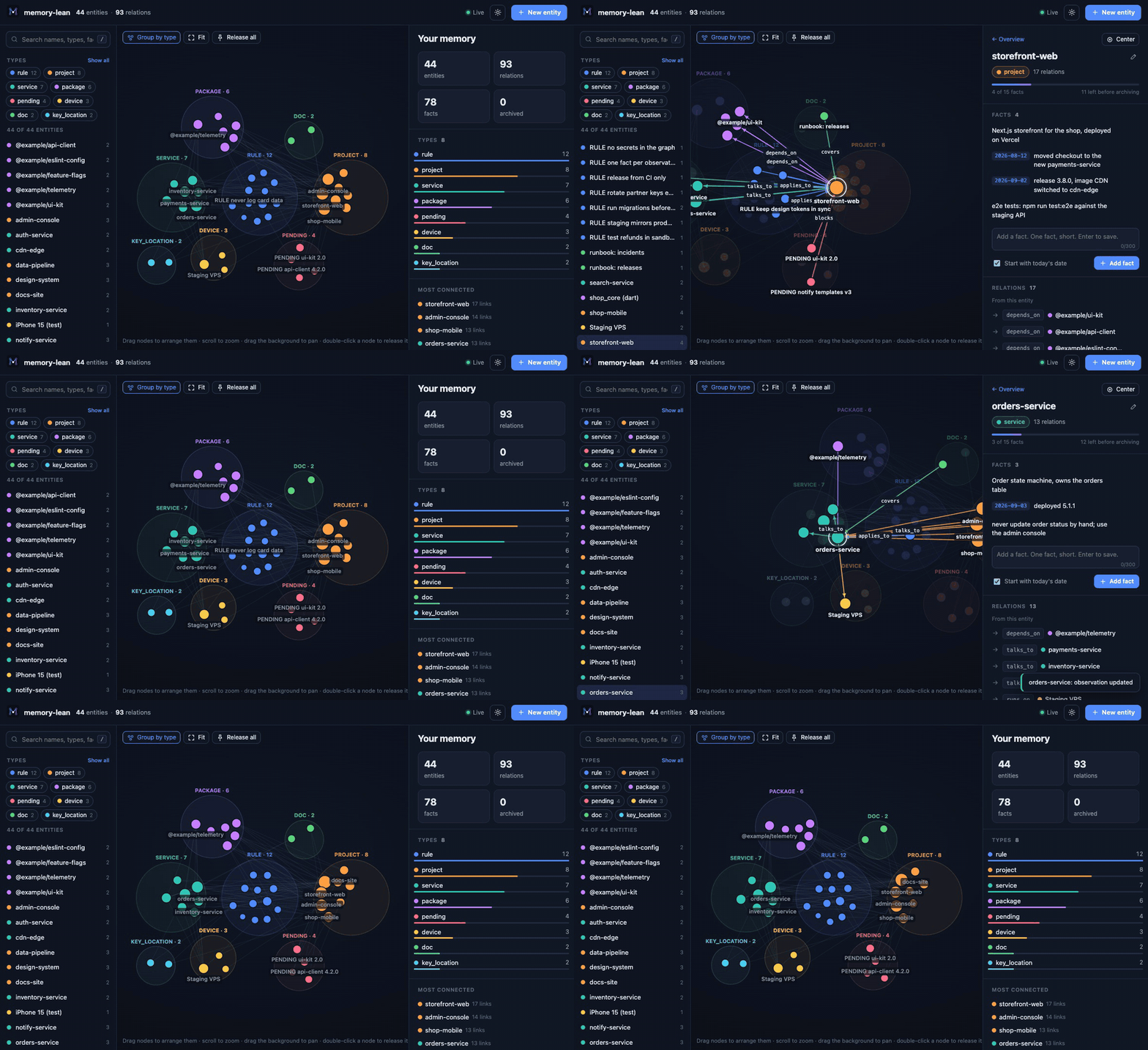
memory-lean is an MCP server that gives Claude
Code, Codex, Cursor, MiMo Code and any other MCP client a memory that lasts between
sessions: which projects exist, what depends on what, which version shipped, what
is still pending, and which rules were learned the hard way. It is a drop-in
replacement for the reference memory server
(@modelcontextprotocol/server-memory),
with the same file and tool names, but its answers are about 40 times smaller.
memory-lean needs Node.js 18 or newer and nothing else.
npm install -g memory-lean          # install
npm install -g memory-lean@latest   # update to the newest release
memory-lean --version               # the version you have
Installed this way, the command in your agent's MCP config is memory-lean.
The other two ways to run it need no npm command:
| Install | Update | |
|---|---|---|
| npx | Nothing to install: the config in Quick start runs npx -y memory-lean |
Automatic: npx fetches the newest release when the agent starts the server |
| Claude Code plugin | In Claude Code:/plugin marketplace add zamansheikh/memory-lean/plugin install memory-lean@memory-lean |
In a terminal:claude plugin marketplace update memory-leanclaude plugin update memory-lean@memory-lean |
- Restart after an update. A session that is already open keeps the server
it started with. Start a new session, or reconnect the
memoryserver in your agent (/mcpin Claude Code). - Your memory is not touched. An update replaces the server only. The graph
file stays as it is (
~/.claude/memory-graph/memory.jsonlunless you moved it), and every version reads the same file. - npx still runs an old version? Older npm versions reuse the copy they
downloaded first. Write
memory-lean@latestin the config instead ofmemory-lean.
What changed in each release is in the changelog.
|
About 40× smaller answers. Search returns a ranked list of names and the lines that matched, not every entity in full, so the agent can afford to check its memory before every task. |
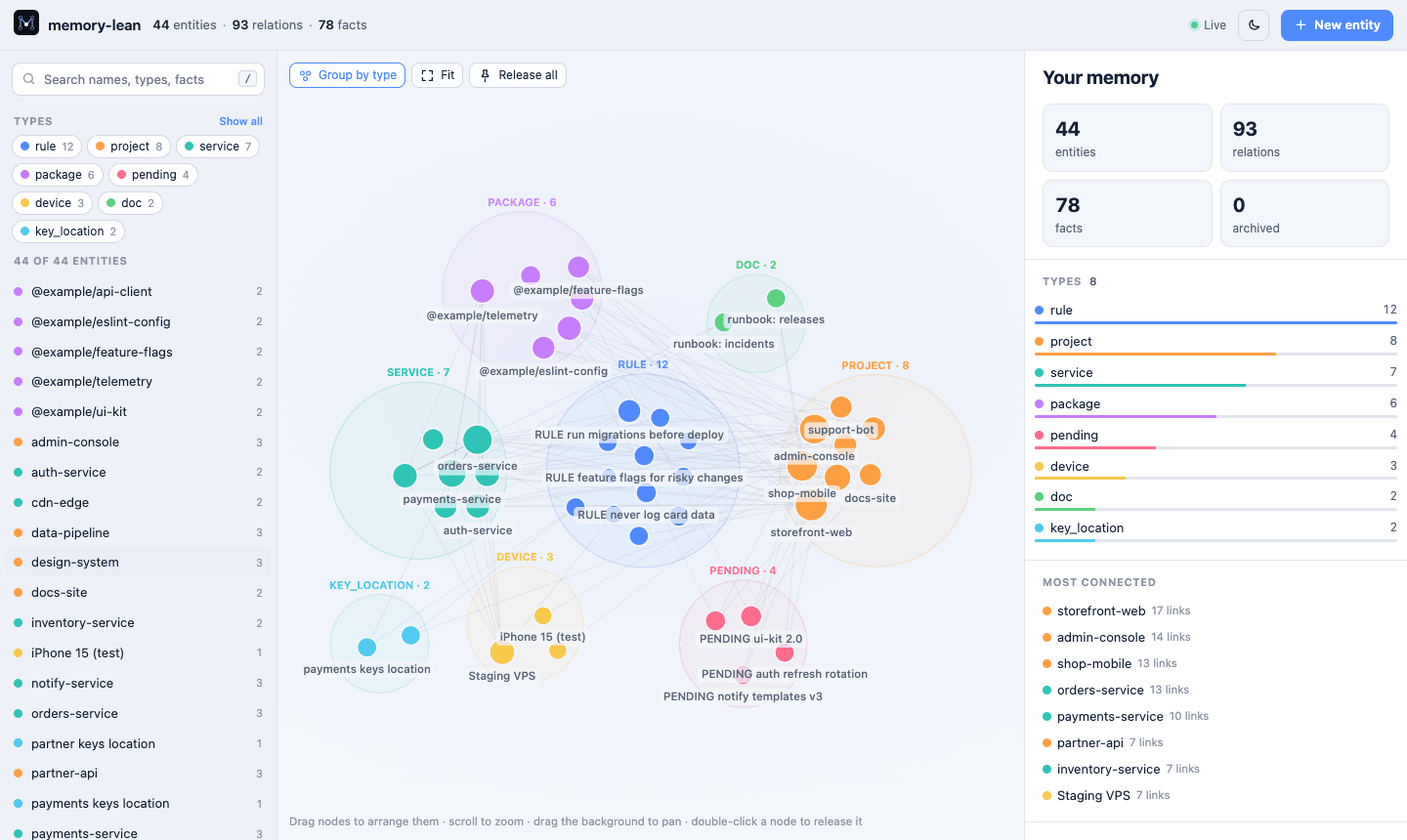
A web UI for people. See the whole graph grouped by type, follow relations, and add, edit or delete anything. Agent writes show up live. |
|
Drop-in replacement. Same |
Works with every agent. Copy-paste setup for Claude Code, MiMo Code, Codex, Cursor, Copilot, Gemini CLI, Zed, JetBrains and more, plus the instructions that teach the agent to use it. |
|
Stays small by itself. Short facts, a cap per entity, and an archive for the overflow, so the graph never grows into a wall of text. |
Private and safe. Plain local files, daily backups, a write lock for parallel sessions, and no network access. One server file, zero dependencies. |
Measured on a real graph of 237 entities, 355 relations and 1,160 facts (tokens ≈ characters ÷ 4):
| Call | Reference server | memory-lean | |
|---|---|---|---|
read_graph |
~77,800 tokens | ~2,000 tokens | 40× smaller |
search_nodes, average of 5 common words |
~31,000 tokens | ~770 tokens | 40× smaller |
A narrow search that matches one or two entities saves less, because there is
little to trim. To measure your own graph, run node tools/bench.mjs from a clone;
it is read-only and prints sizes, never content.
Claude Code: install the plugin. It adds the server, the instructions as a
skill, a short reminder at the start of each session, and /memory-ui.
/plugin marketplace add zamansheikh/memory-lean
/plugin install memory-lean@memory-lean
Any other agent: add the server to its MCP config. It tells the agent the basics when it starts; the full instructions go into the rules file your agent reads.
{
  "mcpServers": {
    "memory": { "command": "npx", "args": ["-y", "memory-lean"] }
  }
}
npx -y memory-lean --protocol >> AGENTS.md # into the rules file your agent readsJust looking? Open the web UI on a made-up example graph:
npx -y memory-lean --ui --demoSetup for each agent
| Agent | Server config | Instructions |
|---|---|---|
| Claude Code | plugin | included in the plugin |
| Xiaomi MiMo Code | mimocode.jsonc |
skill or AGENTS.md |
| opencode | opencode.json |
AGENTS.md |
| OpenAI Codex CLI | codex mcp add |
AGENTS.md |
| Cursor | .cursor/mcp.json |
AGENTS.md or a rule |
| VS Code (Copilot) | .vscode/mcp.json |
copilot-instructions.md |
| Gemini CLI | settings.json |
GEMINI.md |
| Google Antigravity | mcp_config.json |
skill or GEMINI.md |
| Windsurf | mcp_config.json |
a rule |
| Cline | cline_mcp_settings.json |
.clinerules/ |
| Zed | settings.json |
AGENTS.md or .rules |
| JetBrains IDEs | AI Assistant settings | a rule or guidelines |
| Claude Desktop | claude_desktop_config.json |
project instructions |
The graph is created on the first write at ~/.claude/memory-graph/memory.jsonl,
whichever agent writes it, so all your agents share one memory. Set
MEMORY_FILE_PATH to keep it somewhere else.
npx -y memory-lean --uiThis opens your memory in the browser. Everything an agent can do, you can do here:
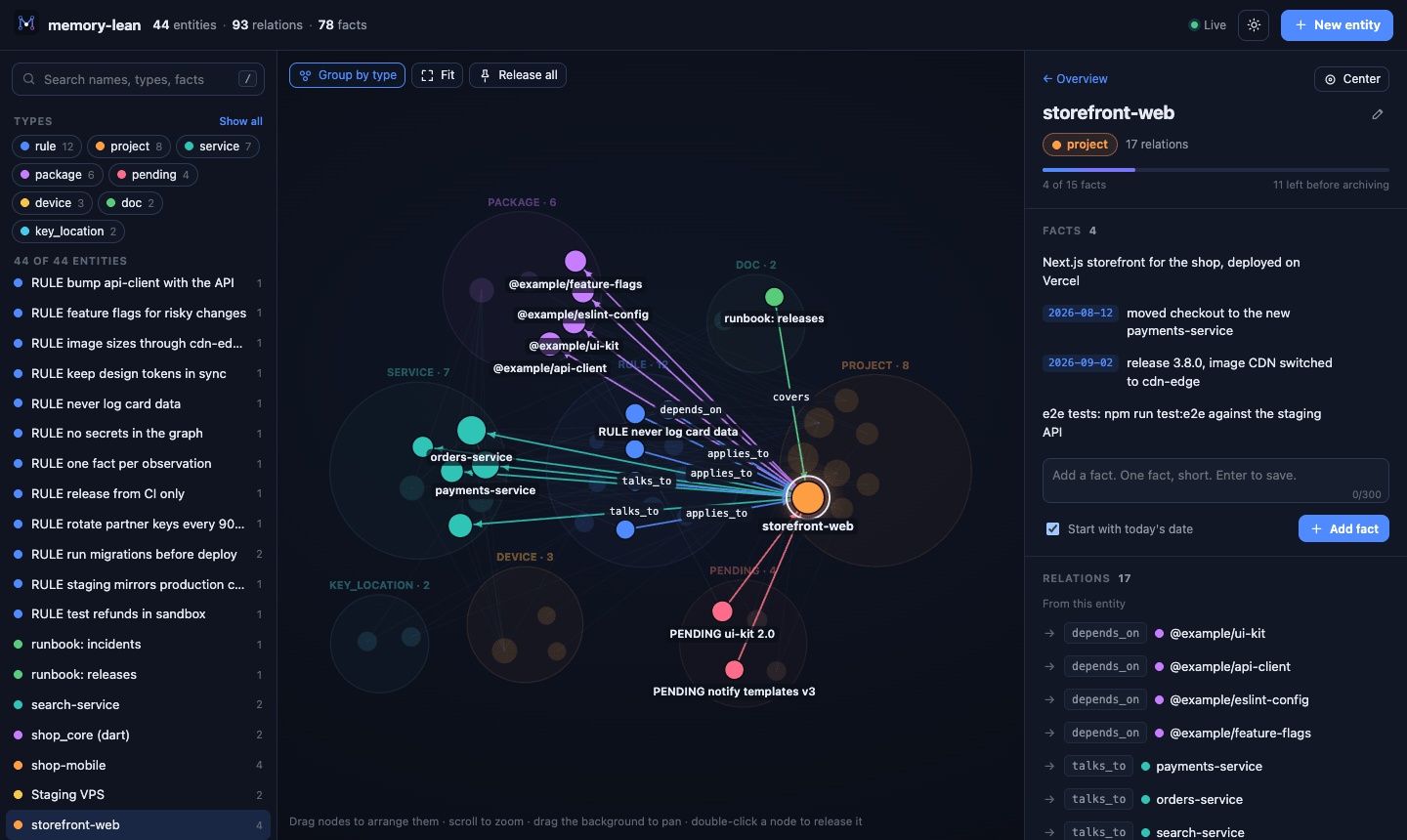
- Explore. Each type gets its own bubble. Click an entity to highlight everything it connects to, drag nodes to arrange them, and scroll to zoom. Search matches names, types and facts.
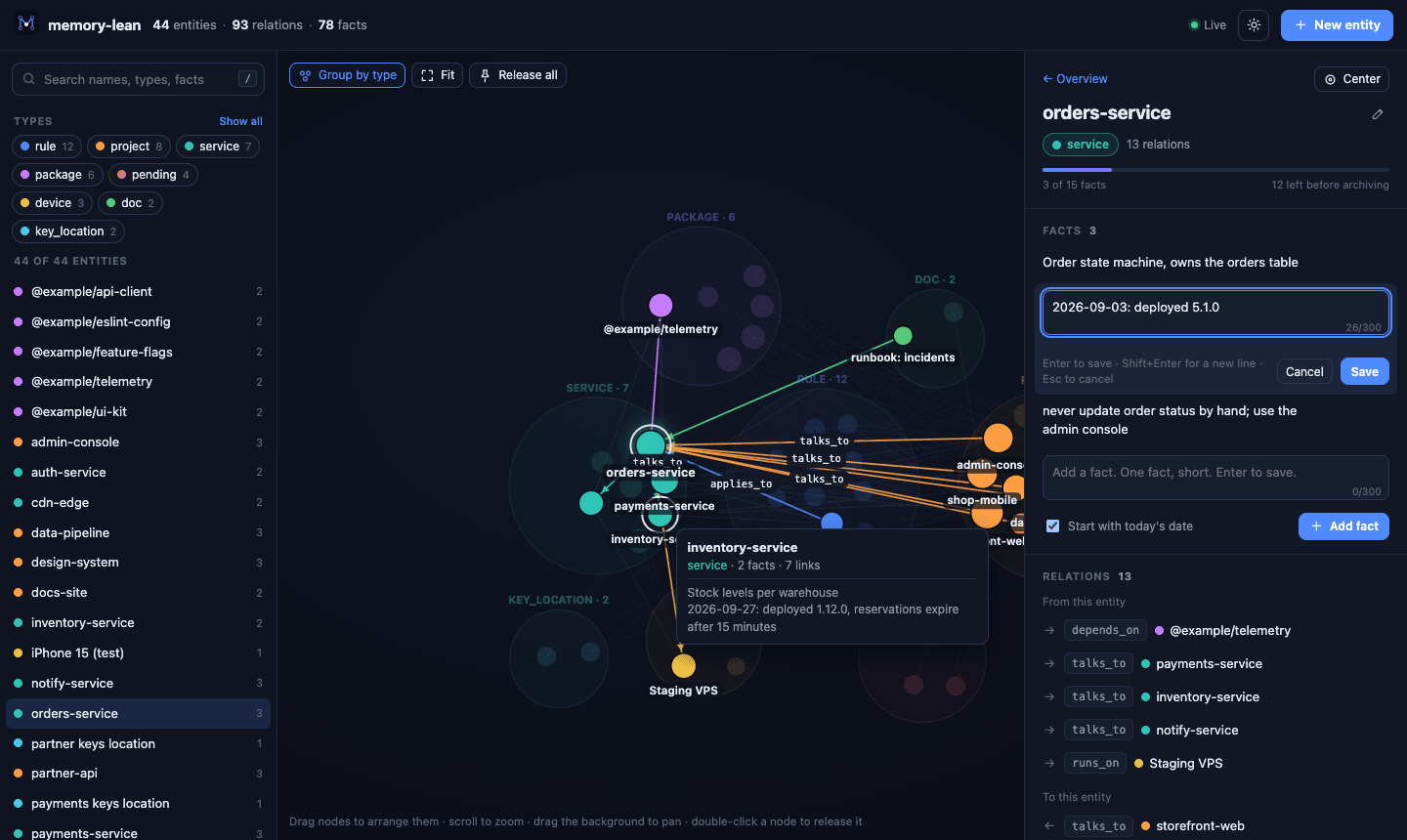
- Edit. Add, edit and delete facts, rename an entity or change its type, add and remove relations, create and delete entities, and restore archived facts. Every change passes the same checks as the agents' tools.
- Watch. Changes your agents make appear within two seconds.
- Spot problems. The overview lists pending work, the most connected entities, anything over budget (also marked on the graph), and signs the graph needs tidying: finished pending work, near-duplicate names, entities nothing links to.
 |
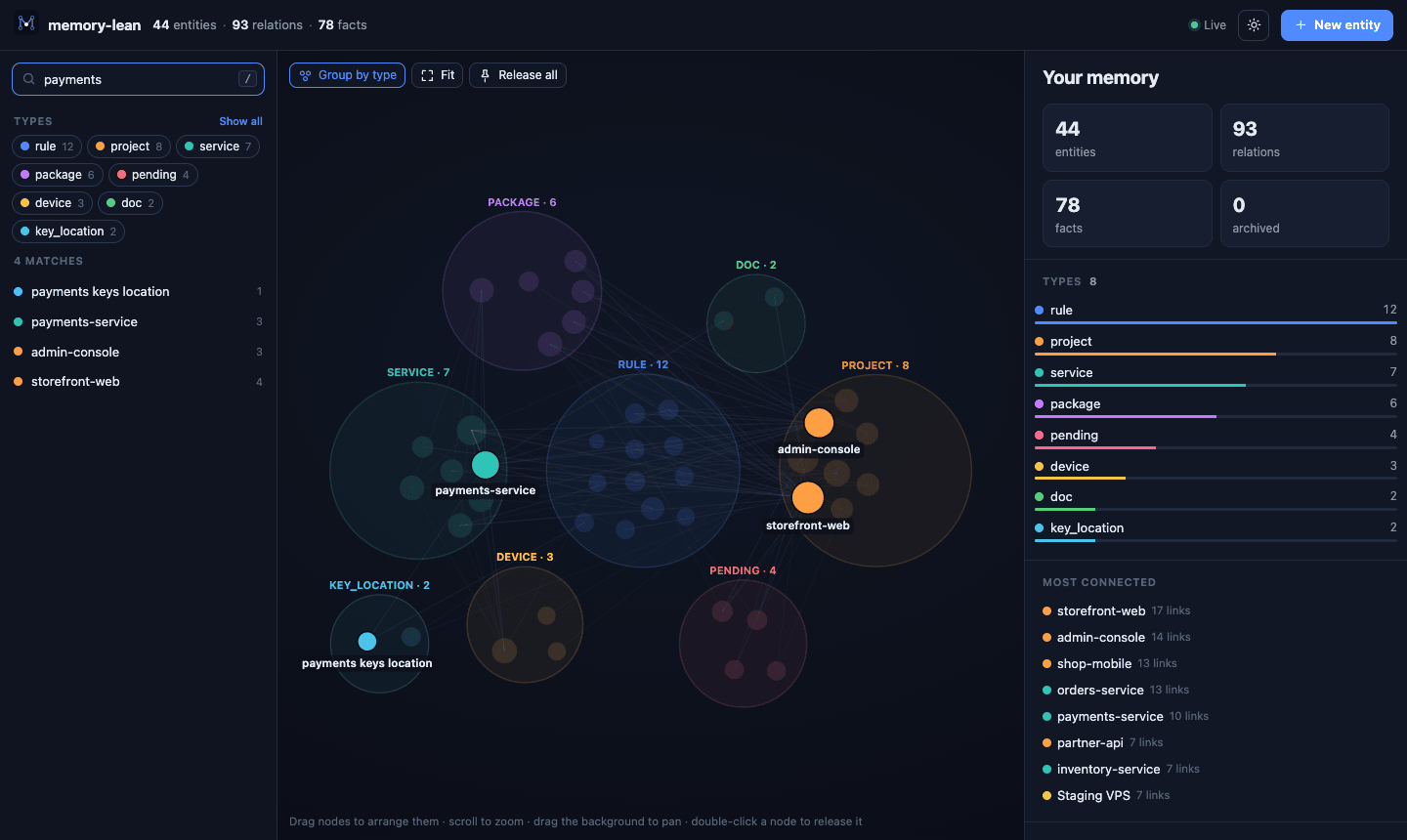 |
| Follow the connections. Select an entity to see its facts and relations. | Find anything. Search names, types and facts at once. |
 |
 |
| Edit in place. With the same 300-character limit the agents have. | Light or dark. It follows your system, or pick one. |
The page runs on your machine only (127.0.0.1) and needs the one-time key in
the link it prints, so other websites cannot read or change your memory. Nothing
is uploaded anywhere.
The reference server answers a search with every matching entity in full, as pretty-printed JSON. memory-lean answers with a ranked list of names and the lines that matched:
> search_nodes { "query": "deploy" }

57 match "deploy", top 10 shown (narrow the query or raise limit). open_nodes for full entities.
• shop-backend [service] 12 obs, 6 rel
    › deploy with scripts/release.sh, never by hand
    › 2026-03-02: deployed 2.4.0 to production
• PENDING shop-backend 2.4.0 [pending] 2 obs, 3 rel
    › …mobile apps still call the old endpoint until the deploy of 2.4.0 reaches them
The agent then opens only what it needs:
> open_nodes { "names": ["shop-backend"], "related": true }

shop-backend [service] (3 archived)
• NestJS API behind api.example.com
• 2026-03-02: deployed 2.4.0 to production

relations:
RULE no Friday deploys -applies_to-> shop-backend
    › Deploys after Thursday 18:00 need the on-call's approval
PENDING shop-backend 2.4.0 -blocks-> shop-backend
    › 2026-03-02: 2.4.0 published, the apps still call the old endpoint (+1 more)
shop-app -talks_to-> shop-backend
With related: true, the rules and pending work that touch the entity come
first, each introduced by its first fact. A rule is often a single fact, so one
call is enough to start a task, and (+1 more) says when opening one would add
something.
A search that is too narrow does not just fail. It names the term that is nowhere and the entities that come closest, so the agent drops the right word instead of guessing:
> search_nodes { "query": "shop release pipeline" }

No entities match "shop release pipeline". In no entity: pipeline. Closest (2 of 3 terms): shop-backend, shop-app.
Facts that were moved to the archive still answer a search. An entity whose only match is an archived fact is named after the current ones, and shown with a snippet when nothing current matches:
> search_nodes { "query": "postgres" }

No current facts match "postgres".
Only in archived observations (archived_observations lists and restores them):
• shop-backend [service] 1 archived
    › 2025-11-20: moved from MySQL to Postgres 16
Results are ranked so that a term in the entity's name counts, and one fact
holding every term counts for more than several facts holding one each. The
facts shown are about the terms the name does not already answer: a standing
fact first, then the newest. A term matches as any part of a word, so deploy
finds deployed, but a whole word ranks above the start of a longer word, and
that above the middle of one.
| Limit | What it means |
|---|---|
| Small answers | search_nodes returns at most 10 names with snippets, read_graph returns an index of names (past about 2,000 tokens, the largest types as a count), and only open_nodes returns full entities. |
| Short facts | The tools ask for facts of under 150 characters, and a write that goes over says so. One longer than 300, or spread over several lines, is rejected, with a message telling the agent to split it or put the detail in the repo. |
| Cheap updates | A stale fact is replaced in one call, named by a distinctive part of its text, so the agent does not repeat 300 characters to change one version number. |
| A cap per entity | An entity keeps 15 observations. Past that, the oldest dated ones move to archive/<entity>.md. Nothing is deleted: they can be listed and restored, and undated facts (the identity facts) always stay. |
| Search that narrows | Every word must match somewhere in the entity, so adding a word narrows the result. The reference server looks for the query as one exact phrase. |
| Safeguard | What it means |
|---|---|
| Safe to share | Writers take a lock file, so several agent sessions can use one graph without overwriting each other. Every write replaces the file atomically. |
| Daily backups | A copy goes to backups/ once a day; the last 7 are kept. |
| Damaged lines are kept | A line that cannot be read is moved to memory.jsonl.unreadable on the next write and reported, never silently dropped. |
| Plain files | The graph is JSON lines, archives are Markdown, backups are copies. You can read, grep and edit all of it by hand. |
| Tool | What it returns |
|---|---|
search_nodes |
Ranked list of entity names with counts and up to two matching snippets each. Every word must match the name, type, an observation, or the type of a relation touching the entity. Entities that match only in archived facts are named after them, with a snippet each when nothing current matches. |
open_nodes |
The full entities you name, as compact text, with every relation touching them and their archive count. With related: true, related rules and pending work come first, each with its first fact. A name that is right but for its case or separators still opens; other unknown names come back with "did you mean" suggestions. |
read_graph |
An index: entity names grouped by type, with observation counts. Never the observations. In a large graph the biggest types are given as a count; entityType lists one. |
create_entities |
Creates entities; existing names are skipped. |
create_relations |
Creates relations between existing entities; duplicates are skipped. |
add_observations |
Adds facts to an entity, enforcing the length limit and the per-entity cap. |
replace_observation |
Replaces one fact in place. The old fact is named by its exact text or by a part of it (8+ characters) that no other fact of the entity contains. Not in the reference server. |
delete_observations |
Removes observations, named by exact text or by such a part. |
delete_relations |
Removes specific relations. |
delete_entities |
Removes entities and every relation touching them. Their archived facts stay on disk, marked as deleted, and are not passed on to a later entity of the same name. |
rename_entity |
Renames an entity, keeping its observations, relations and archive. Not in the reference server. |
archived_observations |
Lists what was archived for an entity, optionally filtered, and restores chosen facts. Not in the reference server. |
The three read tools are marked read-only, so clients that support it can run them without asking.
| Command | What it does |
|---|---|
memory-lean |
Runs the MCP server over stdio. This is what agents start. |
memory-lean --ui [port] |
Opens the web UI. --no-open only prints the link; --demo uses a throwaway copy of a made-up graph. |
memory-lean --protocol |
Prints the agent instructions, ready to append to AGENTS.md, CLAUDE.md or GEMINI.md. |
memory-lean --skill <dir> |
Writes the same instructions as an Agent Skill into <dir>/memory-graph. |
memory-lean --lint |
Reports what in the graph is over budget or needs tidying: pending work that blocks nothing or has gone quiet, near-duplicate names, entities with no relations or with no fact saying what they are, relations to nothing, archives of no entity. Read-only. |
memory-lean --compact |
Backs up the graph, then moves overflow observations to the archive. |
memory-lean --version |
Prints the version. |
With npx, put npx -y in front: npx -y memory-lean --ui.
A memory server only helps if the agent reads it before working and writes to it
when something changes. The server says so itself: when it starts, it sends the
client four sentences on when to read the graph and what to record, which most
agents show to the model (about 190 tokens; MEMORY_INSTRUCTIONS=off stops it).
When the folder the agent works in is named like an entity in the graph, it also
says which entity to open first. That is enough to get going.
docs/AGENT-PROTOCOL.md is the full version, a
ready-made set of instructions: what to look up at the start of a task, what to
record, how to name things, and what never to store. The Claude Code plugin
includes it. For every other agent, one command installs it:
npx -y memory-lean --protocol >> AGENTS.md     # into a rules file: always on
npx -y memory-lean --skill .agents/skills      # as an Agent Skill: loaded when relevant
Adjust the entity types and names in it to your own work.
Point MEMORY_FILE_PATH at your existing memory.jsonl and swap the command. The
file format is identical, so you can switch back at any time. Existing
observations longer than 300 characters are kept as they are; only new writes are
checked. To see what is over budget, and optionally fix it:
npx -y memory-lean --lint      # report only
npx -y memory-lean --compact # back up, then move overflow to archive/All optional, set as environment variables on the server:
| Variable | Default | Meaning |
|---|---|---|
MEMORY_FILE_PATH |
~/.claude/memory-graph/memory.jsonl |
Where the graph lives |
MEMORY_OBS_MAX_CHARS |
300 |
Longest observation accepted. The tools ask agents to aim for half of it |
MEMORY_OBS_MAX |
15 |
Observations per entity before the oldest dated ones are archived |
MEMORY_SEARCH_LIMIT |
10 |
Default number of search results |
MEMORY_BACKUPS_KEPT |
7 |
Daily backups kept |
MEMORY_INSTRUCTIONS |
on | off stops the server sending its short usage note to the client |
Is my memory sent anywhere?
No. The server reads and writes local files and makes no network requests. The
web UI listens on 127.0.0.1 only. Keep the graph out of git, and never
store passwords, keys or tokens in it: record where a secret lives, not its value.
Can several agents or sessions share one graph?
Yes. Every write takes a lock, re-reads the file and replaces it atomically, so
parallel sessions (and the web UI) do not overwrite each other.
Why plain text search instead of embeddings?
It needs no model, no index and no dependencies, and an agent's queries are
mostly names it already knows. Good entity names matter more than clever queries.
What happens to old facts?
When an entity passes 15 facts, the oldest dated ones move to
archive/<entity>.md next to the graph. search_nodes still finds
them, and archived_observations, or the Archive section in the web UI, lists
and restores them.
- Claude Code plugin with the server, a skill and
/memory-ui - Setup guides for 12 agents
-
rename_entityand archive restore - A web UI to explore and edit the graph
- Listed in the official MCP registry
- Search across the archived facts of every entity
- A health report in
--lintand the web UI - Listed in the Claude Code plugin directory
- Undo in the web UI
Ideas, bug reports and pull requests are welcome. The server is one file with no
dependencies, the web UI is one HTML file, and npm test runs in a few seconds,
so a first change is quick to make. CONTRIBUTING.md has the
layout, the ground rules and a list of good first contributions.
If memory-lean saves you tokens, a ⭐ helps other people find it.
memory-lean is free and MIT licensed. If it is useful to you, you can support the work:


Created and maintained by Zaman Sheikh at Silifton.




Built on the file format and tool names of the Model Context Protocol reference memory server.
MIT © 2026 Zaman Sheikh. Free to use, change and share, including commercially; keep the copyright notice.