
JPEG2PDF is a fast, offline image-to-PDF converter for Linux. Batch convert JPG, PNG, BMP, GIF, TIFF, SVG and WebP images into high-quality PDF documents — with page size and margin control, custom DPI, page numbering, rotation, grayscale output and AES-256 password protection. Everything runs locally; your images never leave your computer.
Open source (MIT), written in Python and PyQt5 — the full application source is in this repository.


Installed 28,000+ times on Flathub.
- Screenshots
- Install
- Features
- Supported image formats
- Common tasks
- Run from source
- FAQ
- How it compares
- More apps
| Dark theme | Light theme |
|---|---|
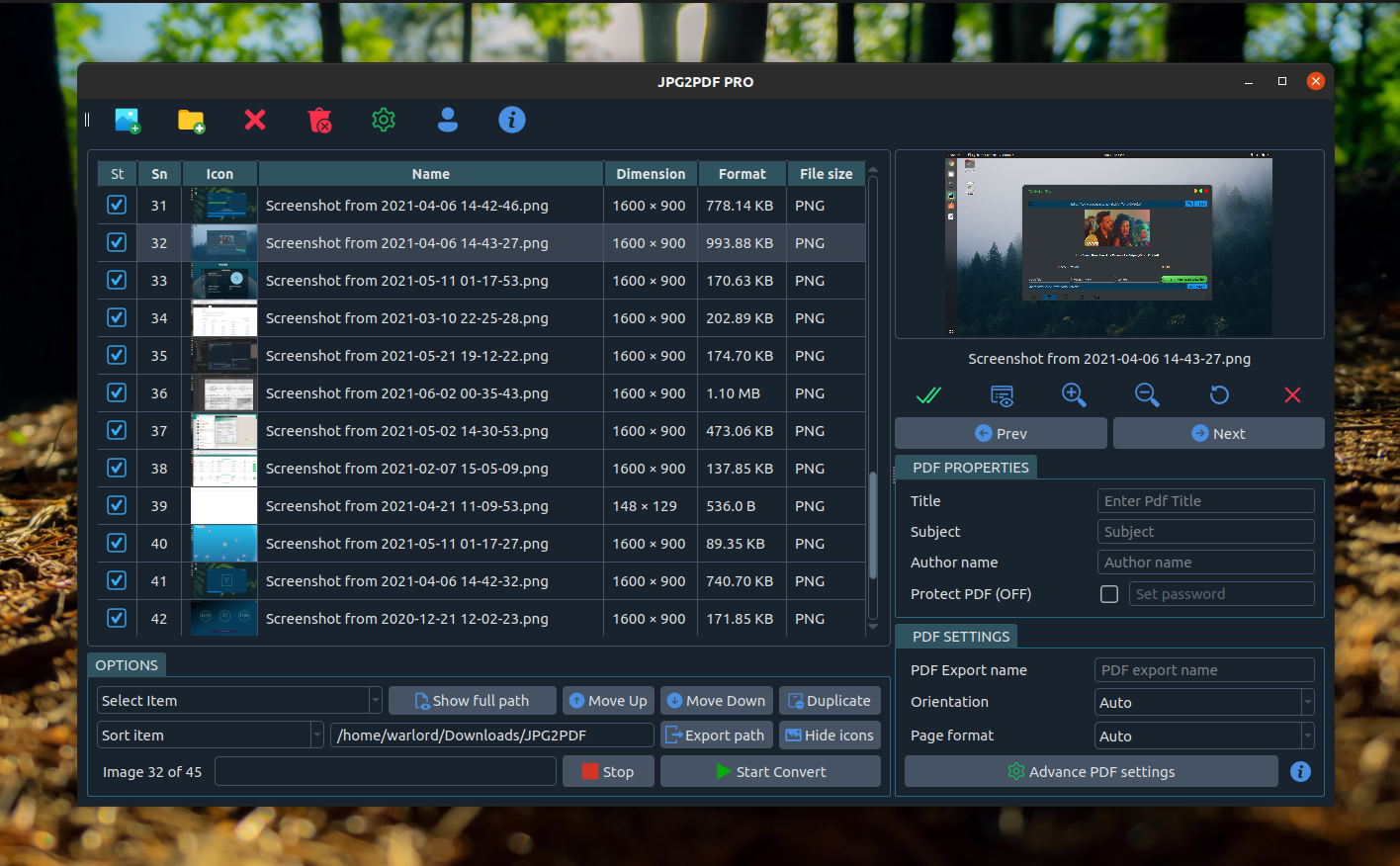 |
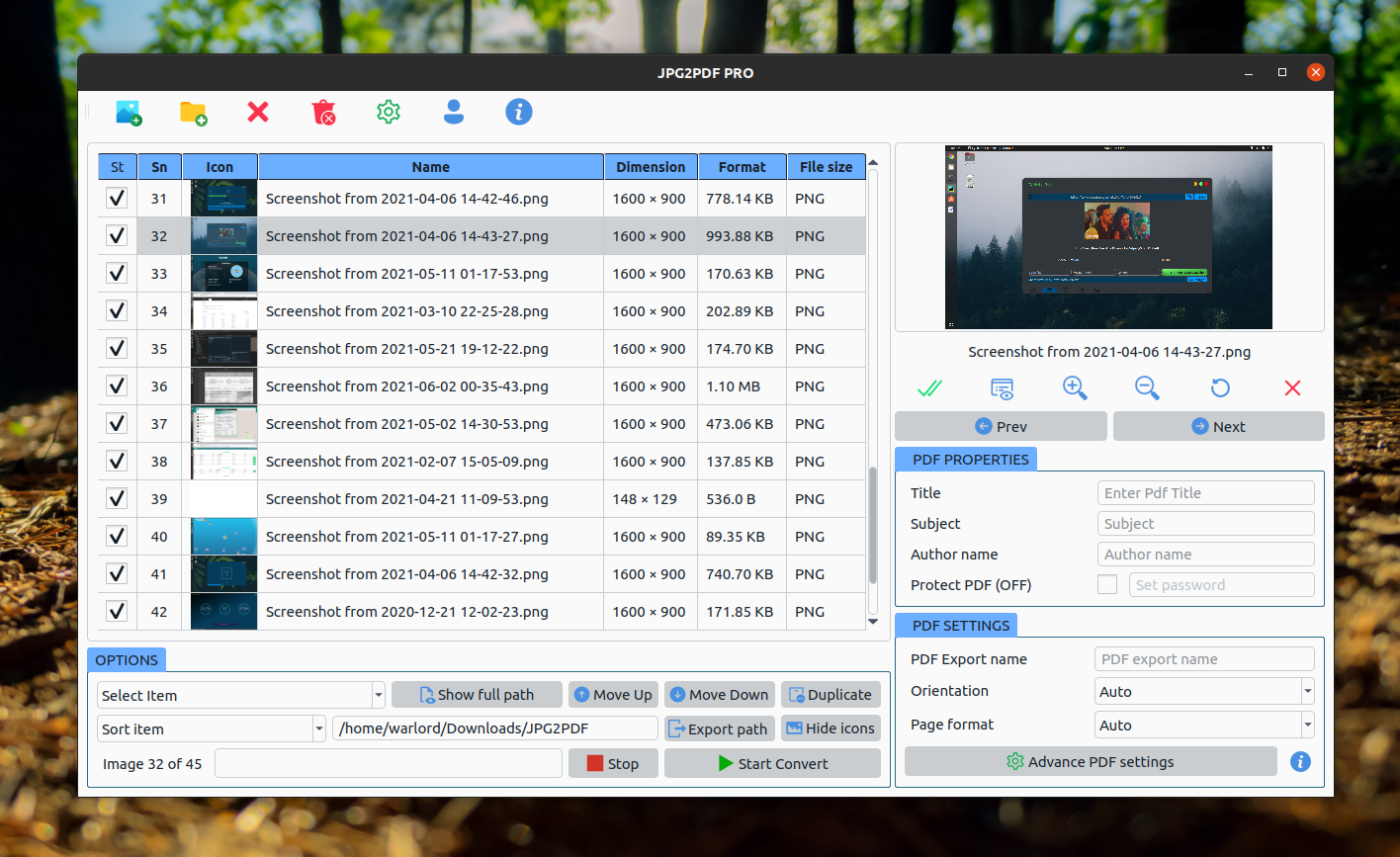 |
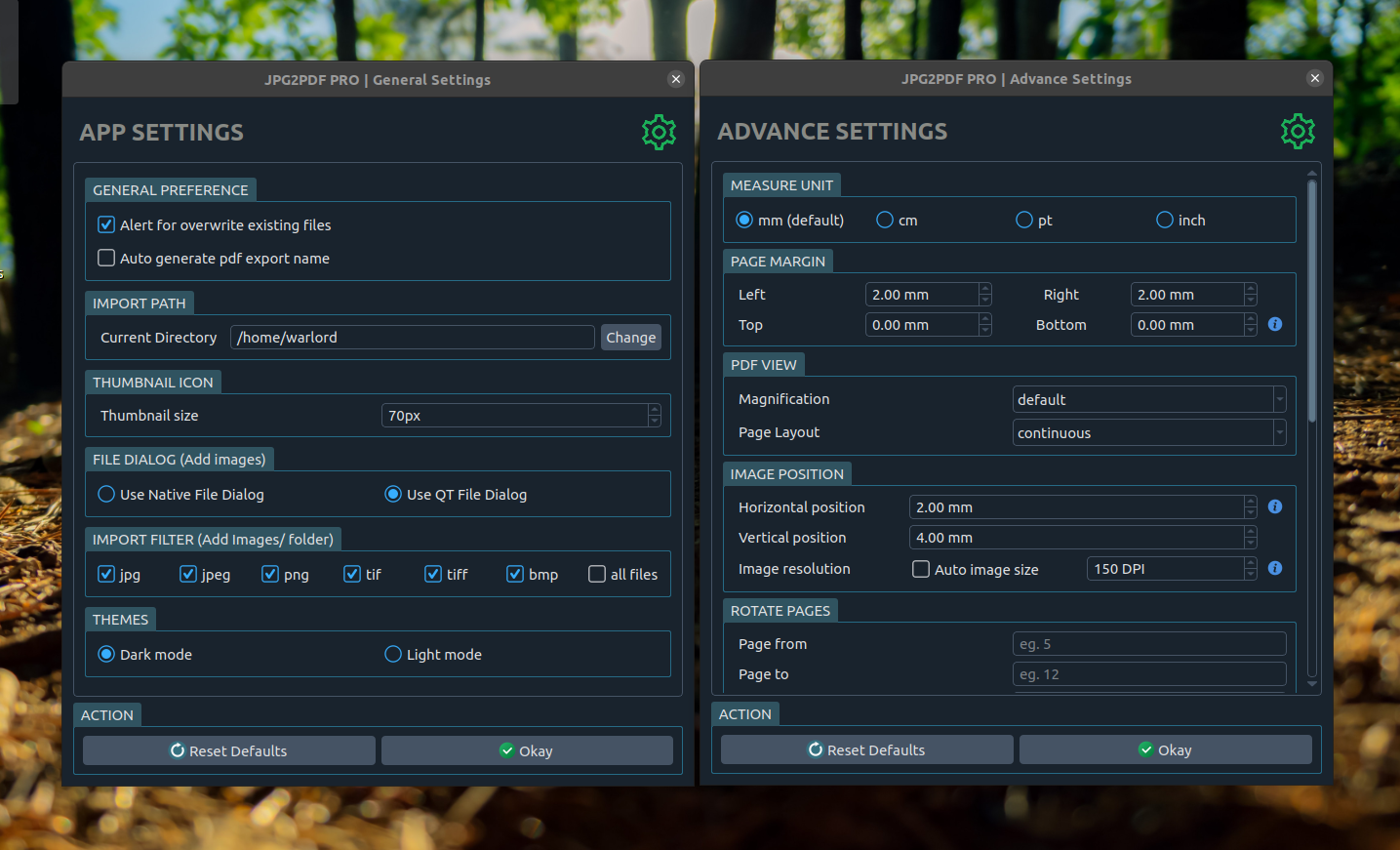


sudo snap install jpg2pdfjpg2pdfflatpak install flathub com.warlordsoftwares.jpeg2pdfflatpak run com.warlordsoftwares.jpeg2pdfWorks on Ubuntu, Debian, Fedora, Arch, Linux Mint, Pop!_OS and any other distribution with Snap or Flatpak.
- Batch convert — turn a whole folder of images into PDFs in one click.
- One PDF or many — merge every image into a single document, or export one PDF per image.
- Sort and reorder — sort by name, date modified, file size or date taken, drag images into any order, or move them to the top or bottom.
- Ticked automatically — new images are ready to convert; click the ✓ column header to tick or untick all.
- Page sizes — A4, A3, A5, Letter, Legal or any custom size, with automatic orientation.
- Several images per page — 2, 4, 6 or 9 per page, great for receipts and ID cards.
- Margins and positioning — set page margins and image placement in mm, cm, pt or inches.
- Custom DPI — pick the image resolution that suits print or screen.
- Rotate and crop — fix single images (only the PDF changes, never your files), or rotate a page range.
- Clean up scans — straighten tilted pages, cut off dark borders and make text clearer.
- Smaller PDFs — compress images, split into several PDFs, or add images to an existing PDF.
- One PDF per image — keeps each file's name (photo.tif → photo.pdf), including multi-page TIFFs.
- Searchable PDFs — OCR makes the text searchable and copyable (snap).
- Grayscale and black-and-white output.
- Page numbering with configurable fonts and styles.
- AES-256 encryption — password-protect the resulting PDF.
- PDF metadata — set title, subject and author.
- Drag and drop images straight into the window.
- Live preview with zoom before you export.
- Presets, preview and undo — save favourite settings, preview the PDF before saving, undo list changes (Ctrl+Z).
- Save anywhere — any folder, including USB drives; folders can be imported with their subfolders.
- Built-in help and shortcuts (F1), adjustable text size, dark and light themes.
- Fully offline — no upload, no file-size limit, no watermark, no ads.
JPG · JPEG · PNG · BMP · GIF · TIFF · TIF · SVG · WebP · HEIC (snap)
...and other formats readable by Pillow.
| Task | How JPEG2PDF handles it |
|---|---|
| Convert JPG to PDF | Drop the images in and export — one click |
| Convert PNG to PDF | Same flow; transparency is flattened onto the page |
| Merge multiple images into one PDF | Queue them, reorder, export as a single document |
| Convert a scanned document to PDF | Auto orientation and DPI control for readable scans |
| Convert TIFF to PDF | Multi-format queue, no conversion step needed first |
| Password protect a PDF | Tick Password and set an AES-256 password |
| Make a grayscale PDF | Toggle grayscale to shrink scans and photos |
| Add page numbers | Enable numbering and pick the font and style |
| Set A4 or Letter page size | Choose the page size, or leave it on Auto |
| Convert a whole folder | Add a folder of images, then Create PDF |
| One PDF per image, same file names | Advanced settings → Split or join PDFs → Make a separate PDF for each image |
| Several receipts on one page | Advanced settings → Page layout → Images per page |
The application is MIT licensed and the full source is in src/.
git clone https://github.com/rishabh3354/JPG2PDF.git
cd JPG2PDF
Install PyQt5 and the Python dependencies:
sudo apt install python3-pyqt5          # Debian / Ubuntu
pip install -r req.txt                  # Pillow, fpdf2, pikepdf
Run it:
python3 src/jpg2pdf.pysnapcraftThe snap consumes pyqt5-runtime-core22-lite as a content snap rather than bundling PyQt5, which is what keeps the package small — snap/snapcraft.yaml is a working reference if you are packaging a PyQt5 app the same way.
Yes. It is free to install from Flathub and the Snap Store, and the source is MIT licensed.
No. All conversion happens locally on your machine. There is no upload, no account, and no file-size limit — which matters if you are converting scanned IDs, contracts or medical records.
Yes. Add all the images, reorder them however you like, and export a single PDF. You can also export one PDF per image.
Yes, with AES-256 encryption. Set the password before exporting.
JPG, JPEG, PNG, BMP, GIF, TIFF, SVG and WebP, plus other formats Pillow can read.
Yes — A4, A3, A5, Letter, Legal or a custom size, with margins and image position configurable in mm, cm, pt or inches, and a custom DPI setting.
Yes. The packaged builds run under XWayland for compatibility (the snap sets QT_QPA_PLATFORM=xcb, so it also starts when the session asks for a Wayland Qt plugin).
Not currently — the packaged builds are Linux only. The source is Python and PyQt5, so it may run elsewhere, but that is untested and unsupported.
Yes. It is MIT licensed — open an issue or a pull request.
- Online converters (iLovePDF, Smallpdf, Zamzar) — convenient, but you upload your documents to someone else's server and hit size and daily limits. JPEG2PDF works offline with no limits.
img2pdf/ ImageMagick — excellent command-line tools, but no preview, no reordering and no encryption UI. JPEG2PDF is the graphical counterpart.- LibreOffice / GIMP export — works in a pinch, but painful for batches of images.
- Scanner suites — heavier and usually tied to specific hardware.
Other apps by Warlord Softwares are listed on warlordsoftwares.com.
- 📦 Flathub: com.warlordsoftwares.jpeg2pdf
- 📦 Snap Store: snapcraft.io/jpg2pdf
- 🌐 Website: warlordsoftwares.com
- 🐞 Issues: github.com/rishabh3354/JPG2PDF/issues
MIT © Rishabh Bhardwaj / Warlord Softwares.