

A serverless, Zoom-like video conferencing web app,
built with React, TypeScript, MUI, and PeerJS on top of WebRTC.


Deutsch · English · Español · Français · 日本語 · 한국어 · Português · Русский · 中文
👉 Try it online: https://www.predatorray.me/rendezvous/
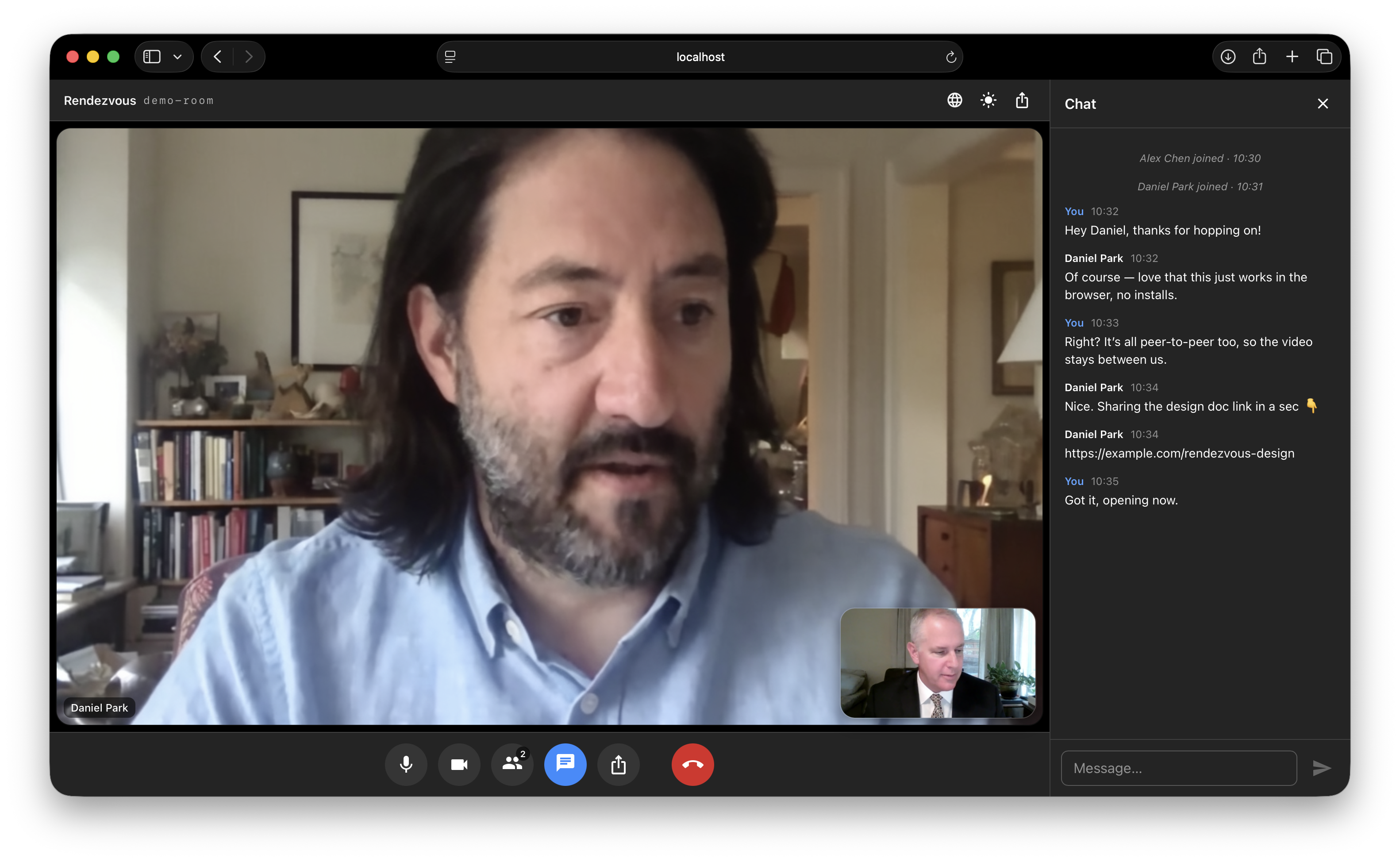
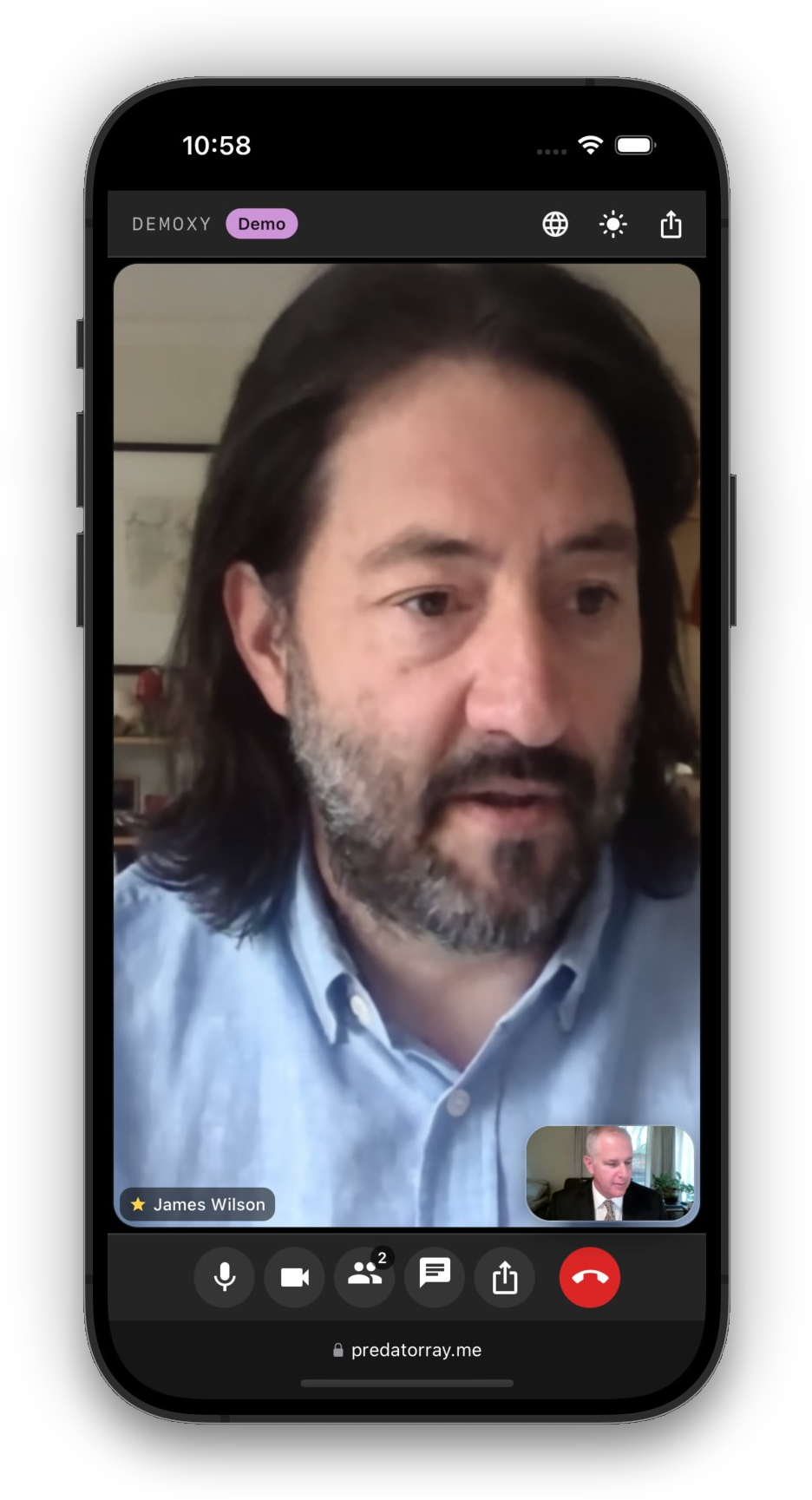
There is no application server — the host of each meeting acts as a relay hub for chat messages and media streams, so each participant only maintains connections to the host instead of every other participant. The PeerJS public broker is used only for the initial WebRTC signaling.
Rendezvous is named after the Rendezvous Lodge atop Blackcomb Mountain in Whistler Village — the spot where the author meets up with skier friends.
- Pick a name, host a meeting, or join an existing one by code or link
- 6-letter human-readable meeting codes (~300M combinations)
- Tile-based video grid with auto-layout
- Tile shows the participant’s initials when their camera is off
- Mute / unmute audio, start / stop video (mute icon shown on the tile)
- Collapsible right-side chat drawer with timestamps and join/leave notices
- Chat history is preserved by the host so late joiners see prior messages
- Sharable invite link and copy-able meeting code
- Host leaving ends the meeting for everyone
- No accounts, no passcodes, fully static-site deployable
- React 19 + TypeScript (Create React App)
- MUI v7 (dark, minimalist Zoom-inspired theme)
- React Router v7 (
HashRouterfor static hosting) - PeerJS for signaling and WebRTC orchestration
gh-pagesfor GitHub Pages deployment
npm install
npm start
Open http://localhost:3000. To test multi-party meetings open additional incognito windows and use the same meeting code.
npm run build
Outputs a static bundle in build/ ready to be served from any CDN. The
app uses HashRouter, so it works on hosts that don’t support
client-side SPA rewrites (e.g. GitHub Pages).
-
Add a
homepagefield topackage.jsonpointing at your Pages URL:"homepage": "https://YOUR_USER.github.io/rendezvous" -
Push to GitHub, then run:
npm run deployThis builds and pushes the
build/directory to thegh-pagesbranch usinggh-pages. Enable Pages from thegh-pagesbranch in repo Settings → Pages.
src/peer/MeetingClient.ts— owns the PeerJSPeerand implements both host (relay) and client behaviors.src/peer/useMeeting.ts— React hook that adapts the meeting client to component state.src/types.ts— shared types and the wire protocol carried over PeerJSDataConnections.src/pages/— Home and Meeting pages.src/components/—VideoGrid,VideoTile,ChatDrawer,Controls,ShareDialog.
Messages exchanged over the data connection between a client and the host:
| Type | Direction | Purpose |
|---|---|---|
hello |
client → host | Sent on connect with the participant’s name |
welcome |
host → client | Returns assigned id, roster, and timeline |
roster |
host → all | Updated member list (joins, leaves, state) |
chat-send |
client → host | New chat message draft |
timeline |
host → all | Authoritative chat or system event |
state |
client → host | Participant changed audio/video |
end |
host → all | Host is leaving — meeting is over |
Each participant places exactly one outbound media call to the host carrying their own stream. The host accepts and:
- Calls every other connected client with that incoming stream,
tagged with
metadata.peerIdso the receiver knows which participant it represents. - Pushes its own stream and every existing remote stream to a new client when they join.
This gives every client a constant number of signalling sessions with the host (one data connection + N media connections), avoiding the classic O(N²) mesh.
flowchart LR
    A[Client A] -- stream A --> H((Host))
    B[Client B] -- stream B --> H
    C[Client C] -- stream C --> H
    H -- streams B, C --> A
    H -- streams A, C --> B
    H -- streams A, B --> C
-
The host’s upstream bandwidth bounds meeting size (relay is on a consumer-grade browser tab).
-
Forwarding remote tracks through the host re-encodes them; quality is limited to what
getUserMediaand the browser’s WebRTC stack negotiate. -
Default PeerJS broker is used; for production you can host your own PeerServer and pass it to the
Peerconstructor. -
The "serverless" property only holds when every participant can establish a direct peer-to-peer connection (host candidates, or server-reflexive candidates obtained via STUN for endpoints behind cone NATs). If any participant sits behind a symmetric NAT, ICE cannot negotiate a direct path, and media/data are relayed through a TURN server — meaning that traffic is proxied by a third-party server rather than flowing directly between peers.
-
If connection support from both Metered and Turnix is unavailable, the app warns participants to try another network (such as home Wi-Fi) and disconnect their VPN if possible, then rejoin. Direct connections can still work. The app checks credentials and runs a background relay-only ICE check, closing it on success or after 10 seconds. This sends no media and does not delay joining. A failed check indicates that relay support could not be reached from this browser; it does not identify the cause. Metered's quota documentation explains that quota enforcement can disable credentials, while Get Credential documents no quota-specific HTTP error. A successful credentials response alone is therefore insufficient to confirm relay availability.
Production supplies WebRTC with both Metered and Turnix ICE servers. Each list is loaded independently; a failed provider does not discard the other provider's servers. The relay availability check tests the combined list, so a working provider prevents the connectivity warning.
Metered credentials are fetched at runtime using METERED_API_KEY (as before).
Turnix blocks cross-origin browser API calls. Instead, npm run build first runs
scripts/generate-turnix-credentials.cjs to request seven-day credentials and
write public/turnix-ice-servers.json. This generated file is ignored by Git.
Only expiring TURN usernames/passwords are published; the Turnix API token is
never included in the browser bundle or credential file. Public TURN credentials
can still be used by others to consume the account's allowance.
Configure repository Settings → Secrets and variables → Actions → New repository
secret with name TURNIX_API_TOKEN and your Turnix API token as its value.
Both production and PR preview builds use this secret. For local production builds,
provide TURNIX_API_TOKEN through your environment. Do not prefix it with
REACT_APP_ or commit it to an environment file.
The production publish workflow runs daily at 04:23 UTC to refresh the seven-day credentials, as well as on pushes to main and manual dispatch. Monitor workflow warnings: GitHub schedules can be delayed or disabled after repository inactivity. Missing secrets produce an empty Turnix file; API failures (including quota HTTP 429) produce a workflow warning and an empty file, allowing Metered to continue. The API token and upstream response bodies are never logged. Browsers reject expired Turnix files and request them without caching. Existing tabs must reload before their loaded credentials expire to use Turnix for new relay allocations. PR previews refresh when rebuilt and expire after seven days without another build.
Turnix API references: credentials, usage limits. The seven-day TTL was verified against the live API; relay connectivity still depends on network access.