

Your anime, movies, and shows: discover, track, and watch in one beautiful app.


MiruShin lets you browse trending titles, build your library, keep your progress in sync, and watch everything in a polished player, on your phone, TV, or computer.
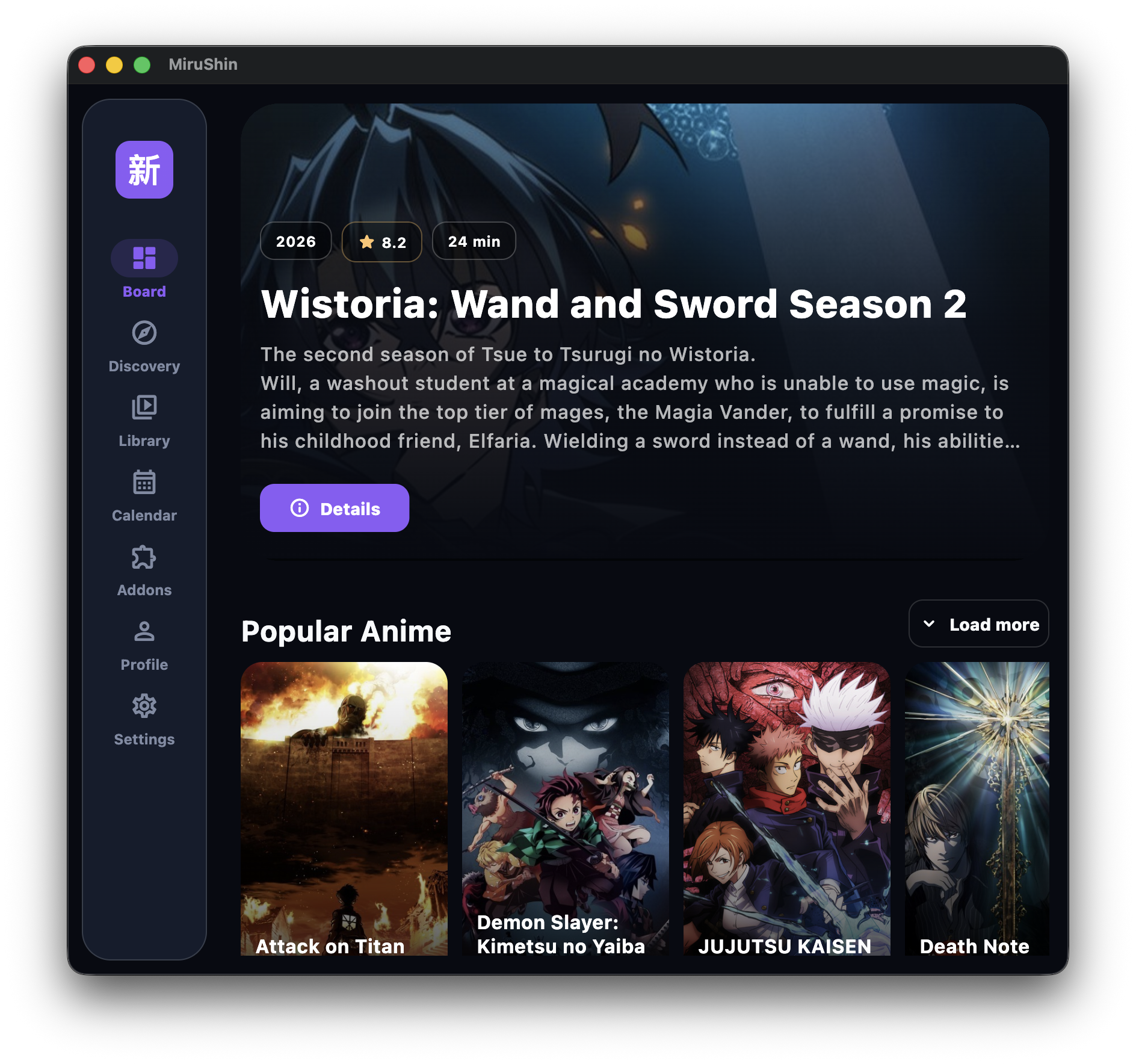
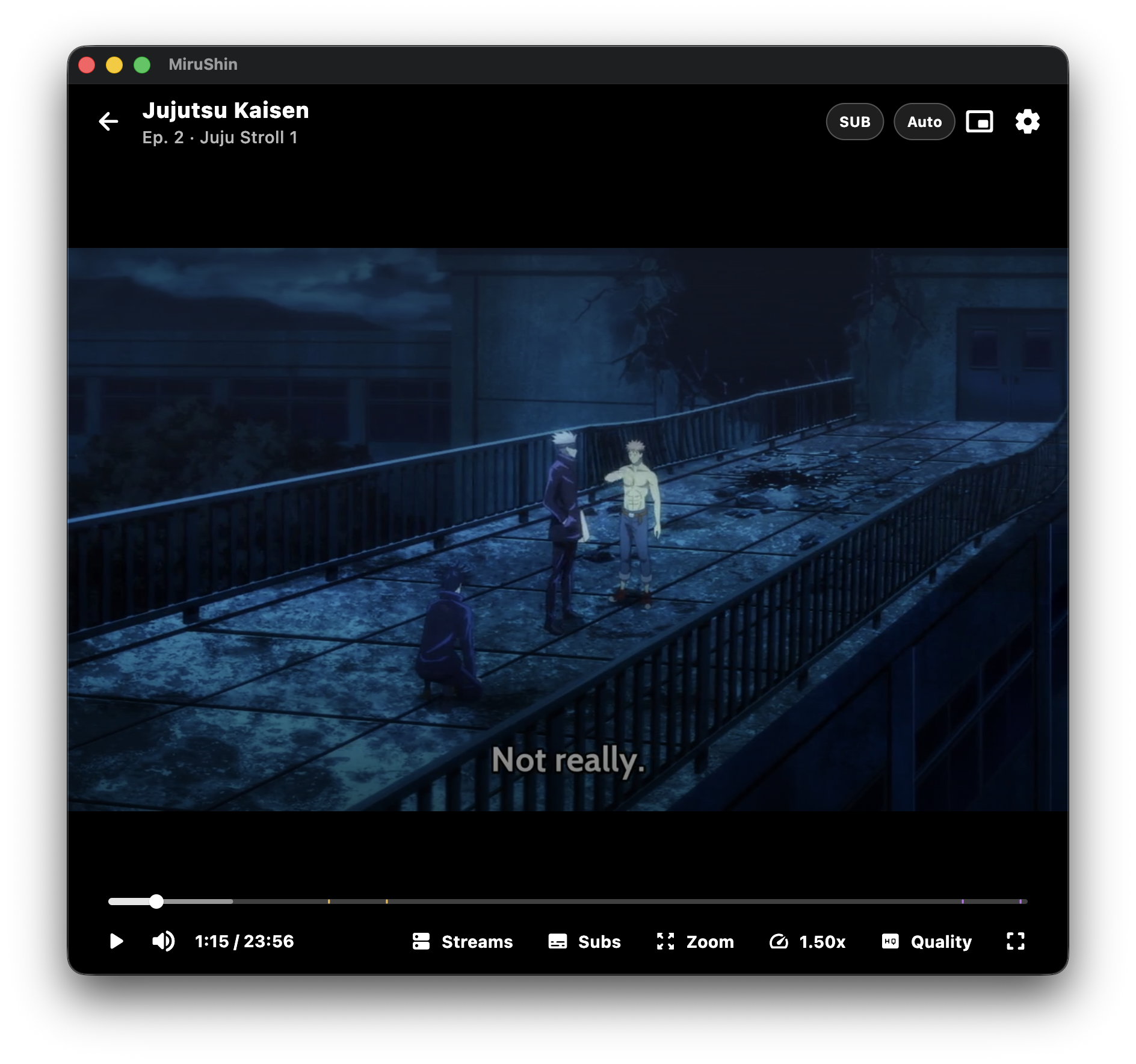


| 🔥 Discover | Browse trending, popular, and filtered rails. Switch between TMDB and AniList catalogs anytime. |
| 📚 Library | Keep your own library, sync AniList, MyAnimeList, and Shikimori, continue watching, and track your progress in one place. |
| ☁️ Google Drive Sync | Sync compact playback state, preferences, addons, API connections, relay preferences, and account connections through private Drive app data. Full library sync is optional and off by default on each device. |
| Play HLS, MP4, and DASH with quality selection, voiceovers, subtitles, and autoplay next. | |
| 👥 Watch Together | Create a Watch with Friends room by code or QR and sync playback peer-to-peer across devices. |
| 📥 Offline | Download episodes from the watch page and play them later from the Downloaded library tab. |
| ⏭️ Skip Smartly | AniSkip markers let you jump openings and endings automatically. |
| 👤 Profile | View AniList activity, favourites, feed, statistics, and reviews. MAL XML and Shikimori JSON exports work offline from Settings → Export, using the active Local Library workspace. |
| 🎨 Make It Yours | English, Russian, and Japanese UI with themes, accent colors, and layouts for mobile, desktop, and TV. |
If playback briefly pauses, enable Settings → Player → Playback diagnostics. The D key in the player marks a micro-pause without pausing playback. The key works only while diagnostics are enabled, outside text fields, and without Ctrl/Alt/Cmd/Shift modifiers. Holding it does not create repeated marks. Use Save diagnostic report in Player Settings to save/share the report manually. Diagnostics are at the end of Player Settings, away from routine playback controls. The memory-only journal is bounded to the last ten minutes and includes the actual MPV/FVP engine and route, playback/buffer transitions, commands, proxy timings, local checkpoints, Drive activity and Flutter frame timings. Stream URLs, tokens, cookies and credentials are omitted. Reports are not automatically saved to Drive. Disable the mode to detach its additional observers. Diagnostics do not change decoder, synchronization, seek preview or recovery settings; a recording is needed before attributing micro-pauses to a specific cause.
Offline exports include canonical local edits even before tracker delivery. Entries without a verified target ID, ambiguous bindings and deleted entries are excluded; skipped entries are reported. MAL XML preserves fuzzy start/finish dates and manga volume progress. Shikimori JSON uses the actual Shikimori ID, never an assumed MAL ID, and only fields supported by its importer (which has no date fields).
More goodies
- 📺 Android TV with remote-friendly navigation throughout.
- 🖼️ Picture-in-Picture and native player handoff where the platform supports it.
- 🔐 Host-controlled watch-party permissions for guest play/pause, seek, and speed changes.
- 🎮 Discord Rich Presence on supported desktops.
- 🖥️ Full-display fullscreen on macOS, including the space beside the camera housing, with an optional switch in Player settings. Behavior and validation.
- 🔄 Tracker sync for AniList, MyAnimeList, and Shikimori account workflows.
- 🔐 Per-account workspaces so switching AniList accounts also switches that account's Local Library and MAL/Shikimori connections.
- 📤 Exports to MyAnimeList XML and Shikimori JSON.
- 🧩 Add-ons (Sora-compatible modules) for source search, installable by URL.
Grab the latest build for your device from the Releases page:
| Platform | What to download |
|---|---|
| Android / Android TV | .apk |
| iOS | .ipa, or one-tap install via the source below |
| Windows | .exe installer, .msi installer, or portable .zip |
| macOS | .dmg |
| Linux | AppImage, .tar.gz, or .deb |
Note
Windows: the .exe installer is unsigned, so Microsoft Defender may show a false-positive warning. If that happens, use the .msi installer or the portable .zip instead.
On Linux, the .deb desktop entry registers mirushin:// links. AppImage
desktop integration uses the same scheme declaration. For the portable
.tar.gz, extract it and run ./install-url-handler.sh; run
./install-url-handler.sh --remove before deleting that copy. Removal only
clears the handler when it still points to the same portable executable.
MiruShin works with AltStore, SideStore, Feather, and LiveContainer, so you can install the .ipa and get future updates automatically. Tap a button on your iPhone or iPad (with the installer app already set up):




Prefer to add it manually? Paste this URL into your installer's Sources → Add screen:
https://mirushin.emp0ry.com/source.json
Just install and open the app. Discovery and metadata work right away. No setup needed.
Want more? Two optional steps unlock the rest:
- Sign in to AniList, MyAnimeList, or Shikimori to sync library status and progress. AniList also unlocks profile pages, social surfaces, exports, and the AniList catalog.
- Choose Library sync source in Settings → Library Log. AniList is the default; only the selected catalog imports tracking changes. Local edits are sent to all connected catalogs, and an outage never silently changes the source. With full-library Drive sync off, changes from that catalog apply automatically; a newer pending local edit is preserved. Pull down in Library or use its refresh button to fetch the current list.
- Add modules to watch by opening the Addons page and pasting a trusted module manifest URL, then install and enable it. Need modules? Join the Sora Discord to find them.
- Watch with friends from Settings or the player. The host creates a short-lived room code/QR, guests join on their own device, and playback events sync after pairing.
- Connect Google Drive Sync to sync compact episode positions (including resets and rewatch cycles), stream choices, per-account settings, addons, API connections, persistent Watch with Friends relay preferences, AniList accounts, and their MAL/Shikimori sessions. Library reads and tracker delivery do not wait for Drive in this default mode. Playback sync sends current values and media identifiers, without catalog metadata or library history.
- Sync full library in Settings → Google Drive Sync is off by default, including after an update. This switch applies only to this device and is never synced through Drive. Enable it to restore or sync the complete Local Library. Existing backups and pending full-library changes are retained while it is off. Old cloud-only watch positions require temporarily enabling this switch; updated devices publish their existing local positions into the compact format automatically. A new device with no local library uses the selected catalog when it becomes available.
- Tracker sessions and user-provided API credentials remain in the Google account's private
appDataFolder; Google Drive OAuth tokens, temporary Watch Party credentials, and MiruShin's own OAuth secrets stay out of those synced records. - Disconnect signs Drive Sync out only on this device and leaves the private backup intact. Delete account removes MiruShin's private Drive records and then disconnects the device; it never deletes the user's Google account or local library.
Tip
Switch between TMDB and AniList anytime by tapping the top-left logo (or via More in compact mode).
Love MiruShin? Fuel its development with a coffee! ☕

Important
MiruShin is a media player and interface layer. It does not host, upload, stream, or otherwise provide any media content, and it contains no built-in sources, catalogs, or modules. Offline files are saved locally only when the user chooses to download from their own configured sources.
- MiruShin ships no media content, media links, Sora modules, module manifests, or third-party API tokens of its own. All content, sources, and modules are supplied entirely by the user.
- Any watch functionality depends solely on content, services, and modules that the user chooses to add. The developer (
emp0ry) neither provides nor endorses any such source. - Sora-compatible modules are third-party code, created and maintained by their own authors. They may make network requests. Only install modules from creators you trust. Their content and behavior are the responsibility of their creators, not of MiruShin or
emp0ry. - By using MiruShin you accept sole responsibility for the content you access and for complying with all applicable local, national, and international laws, including copyright, licensing terms, and other intellectual property rights. You must ensure you hold the legal right to access or use any content.
- The software is provided "as is" and "as available", without warranties of any kind. To the maximum extent permitted by law, the developer accepts no liability for user actions, user-provided content, or third-party services or modules.
- This product uses the TMDB API but is not endorsed or certified by TMDB.
For the full terms, see the Legal Notice.
Build from source & project details
- Flutter (stable channel; Android CI pins 3.47.9 for the current Gradle/AGP toolchain)
- Dart SDK compatible with
sdk: ^3.11.4
git clone https://github.com/emp0ry/MiruShin.git
cd MiruShin
flutter pub get
flutter run
Run a specific target with flutter run -d macos, -d windows, -d linux, or -d android.
- Mobile client ID:
40342, redirectapp://mirushin/auth - Desktop client ID:
40343, redirecthttp://localhost:28372/
On mobile the OAuth flow uses an embedded WebView callback; on desktop MiruShin listens for a localhost callback.
All default AniList clients share a request queue with a conservative rolling
budget and server-directed cooldowns (Retry-After / X-RateLimit-Reset).
Settings cache updates reuse the current account's remote settings instead of
fetching them again. Board snapshots stay fresh for five minutes, and background
Library updates retain the visible list and scroll position.
Default MyAnimeList and Shikimori login goes through the Cloudflare Worker in
mirushin-auth. The same Worker also provides short-lived
Watch with Friends WebRTC pairing. Shared OAuth app credentials are Cloudflare
secrets and are not committed to this repository or bundled into Flutter builds.
To deploy your own Worker:
cd mirushin-auth
npm install
npx wrangler secret put SHIKIMORI_CLIENT_ID
npx wrangler secret put SHIKIMORI_CLIENT_SECRET
npx wrangler secret put MAL_CLIENT_ID_DESKTOP
npx wrangler secret put MAL_CLIENT_ID_MOBILE
npx wrangler kv namespace create WATCH_PARTY
npm run deploy
Configure provider redirect URLs as:
- Shikimori:
https://auth.emp0ry.com/callback - MyAnimeList desktop:
http://localhost:28373/token - MyAnimeList mobile:
app://mirushin/auth
For the live auth.emp0ry.com domain, apply the Worker edge-security rules in
mirushin-auth/scripts/apply-edge-security.mjs so invalid auth/watch-party
traffic is blocked by Cloudflare before it reaches the Worker.
lib/
  app/        # app shell, routing, theme, localization
  core/       # shared infrastructure, constants, widgets, cache, utilities
  features/   # domain-focused feature modules
  shared/     # app-wide models and shared data structures
The public application-link routes and platform registration behavior are
documented in docs/DEEP_LINKS.md.
Flutter · Riverpod · GoRouter · Dio · media_kit (mpv) & FVP · WebView Flutter · Flutter Secure Storage
- TMDB for metadata and imagery
- AniList for profile, tracking, and social data
- MyAnimeList for tracker sync and export workflows
- Shikimori for tracker sync and Russian-title enrichment flows
- AniSkip for OP/ED marker support
- cranci1, author of Sora and the Sora module ecosystem
The product website is also available at emp0ry.com/MiruShin/. Website sources and publication are maintained in the private emp0ry.com project. Completed application releases notify its central static build; this repository contains the application and its technical documentation.