
| HACS | Release | CI | License |
|---|---|---|---|
 |
 |
 |
 |

Shows your managed network switches in Home Assistant over SNMP: every port with link, speed, traffic and PoE, and which device is connected to which port, across all your switches, named after the devices Home Assistant already knows. Events tell you when an uplink or trunk goes down, a port comes back slower, a switch restarts or a new device appears. Read only: it never changes a setting.


Documentation: ha-managed-switch.eize.dev
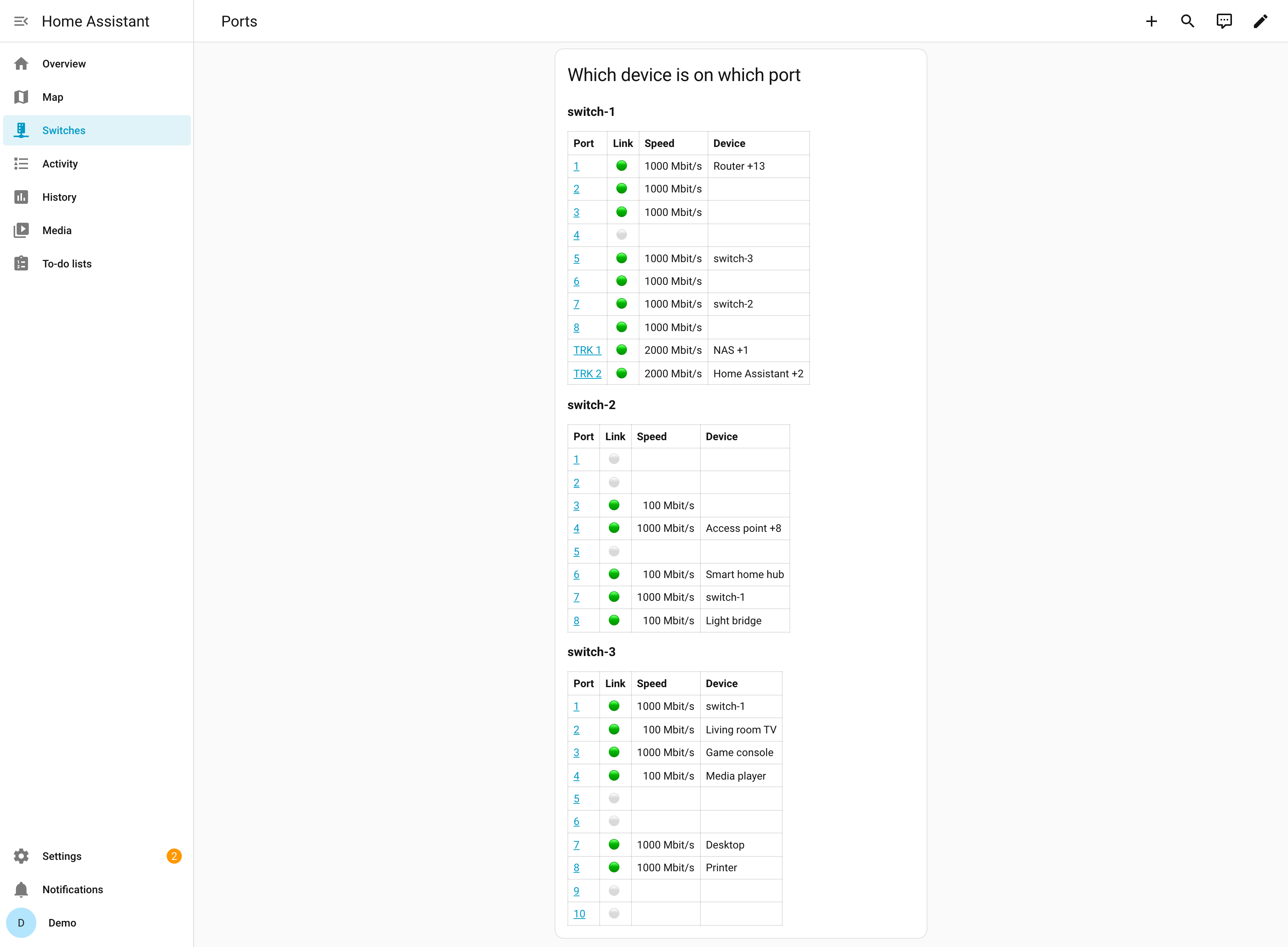
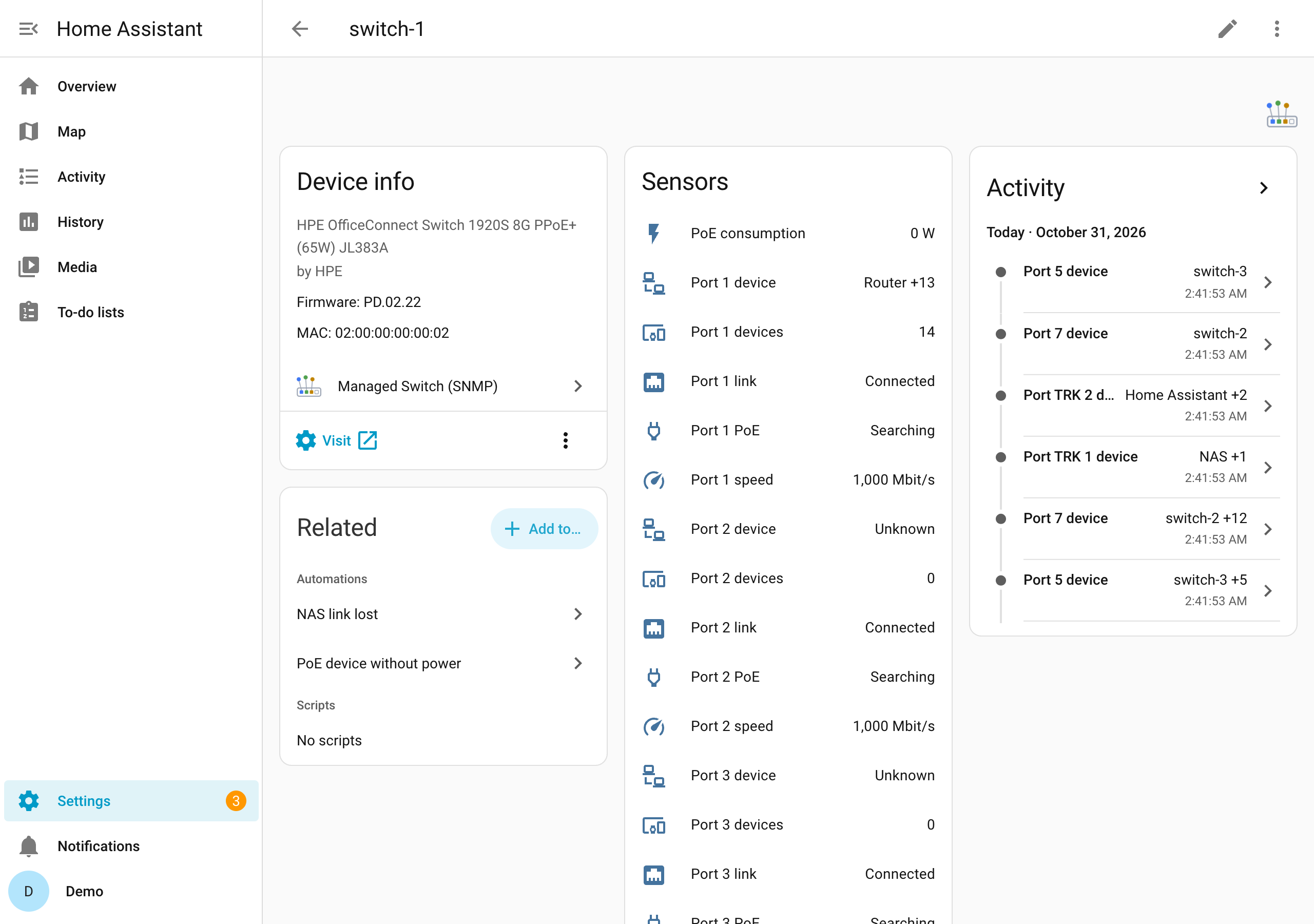
- One device per switch: last restart, PoE budget and consumption, spanning tree changes, temperatures where the switch reports them.
- Per port (and per trunk): link, speed, the connected device (an LLDP neighbour such as another switch, or the devices learned on the port, named from Home Assistant's device registry) and how many devices are on it, PoE status, and on request received and sent traffic and errors.
- One events entity per switch with a ready blueprint for notifications.
- SNMPv3 (recommended) or v2c, standard MIBs, plus the HPE 1930's own sensor table: vendor-neutral. Tested on HPE OfficeConnect 1920S and HPE Instant On 1930; other managed switches with SNMP are expected to work.
In HACS, add this repository as a custom repository of the type Integration (or use the button above), install Managed Switch (SNMP) and restart Home Assistant:
https://github.com/eizedev/ha-managed-switch
Then add the integration once per switch. Requires Home Assistant 2026.10.3 or newer. Details: Installation.
Ready automations for notifications; import one, then create an automation per switch. Details: Events.
| Blueprint | Notifies when | Import |
|---|---|---|
| Managed switch events | an uplink or trunk goes down, a port comes back slower, the switch restarts, or a new device is plugged in directly (also behind other devices if you turn that on) |  |
- Installation and Configuration: SNMP access on the switch, setup, options
- Entities and Events: what each one means, the blueprint
- Dashboard: a port overview to paste
- Ideas and automations: link lost, slow port, PoE, busy port
- Switch card: a switch's front panel (managed-switch-card)
- Troubleshooting
The SNMP part is the library aiosnmpswitch.
Planned work is in the roadmap issues: PoE power per port, fans and power supplies (#4, #5).
Reports with your switch model help most. See CONTRIBUTING.md; for security issues SECURITY.md.
MIT. Provided "as is", without warranty of any kind. The icon and header images are CC BY 4.0; their source is in eizedev/brand.