
Foldable detection (tabletop/book) for React Native. Android reads folding posture
from androidx.window; iOS reads hinge state from UIHingeInteraction (iOS 27.1+).
Warning
iOS detection requires building your app with Xcode 27.1 or later (iOS 27.1 SDK).
With an older Xcode the library still compiles, but the hinge APIs are left out and
useFold() is always null on iOS, even on an iPhone Duo.
The example app on a half-opened device. The dark bar prints what useFold() returns.
Book posture · FoldBookPane |
Tabletop posture · FoldPane |
|
|---|---|---|
| iOS · iPhone Duo | 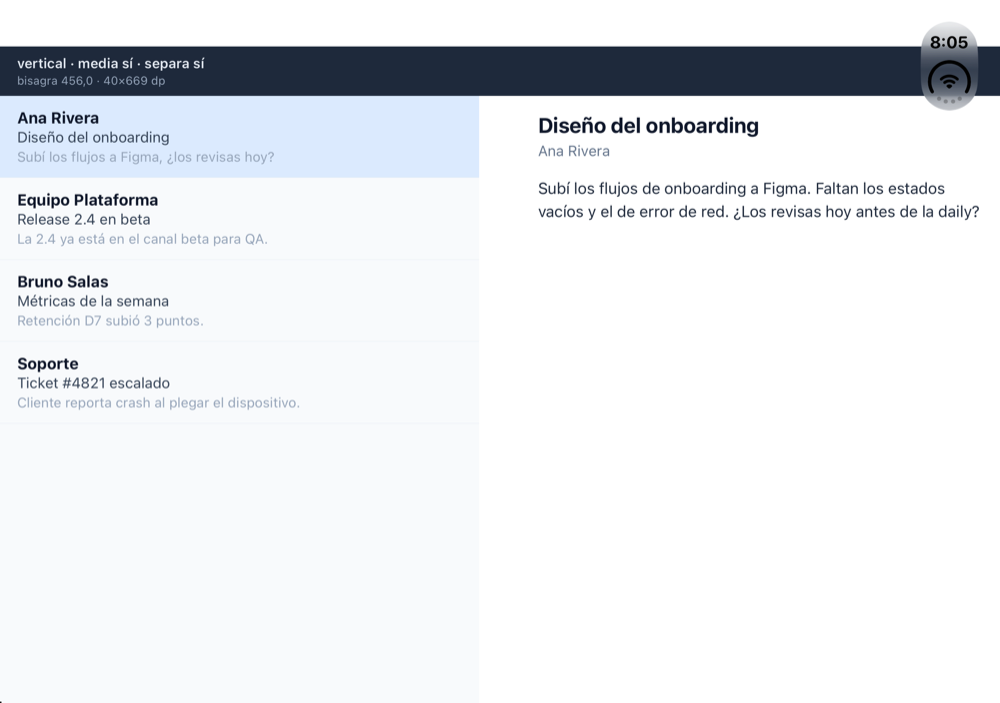 |
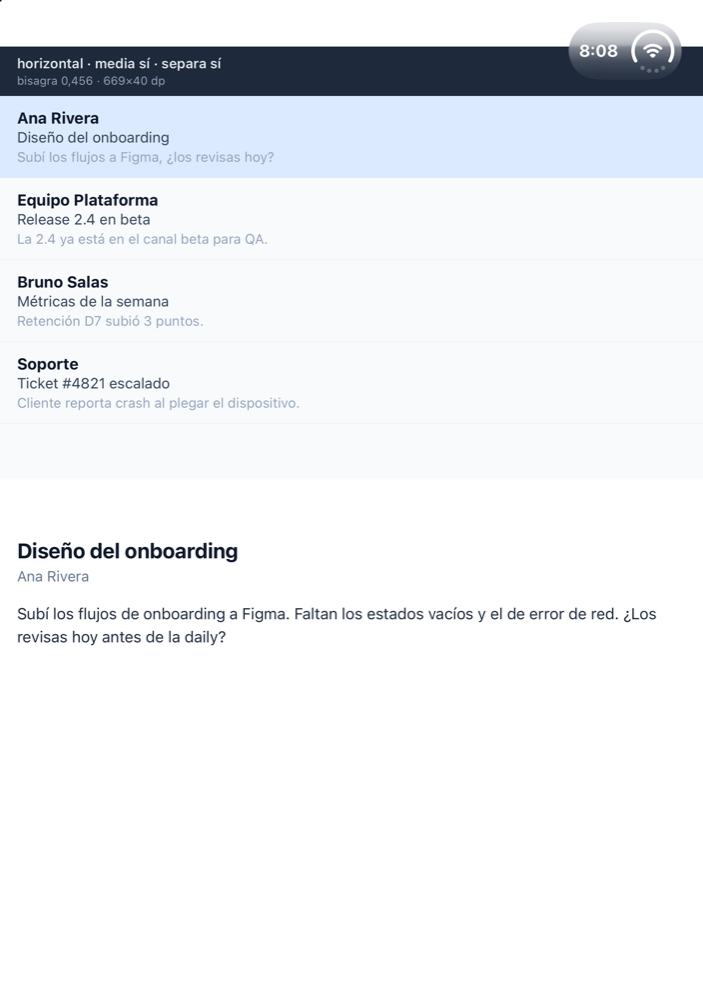 |
| Android · Pixel 10 Pro Fold | 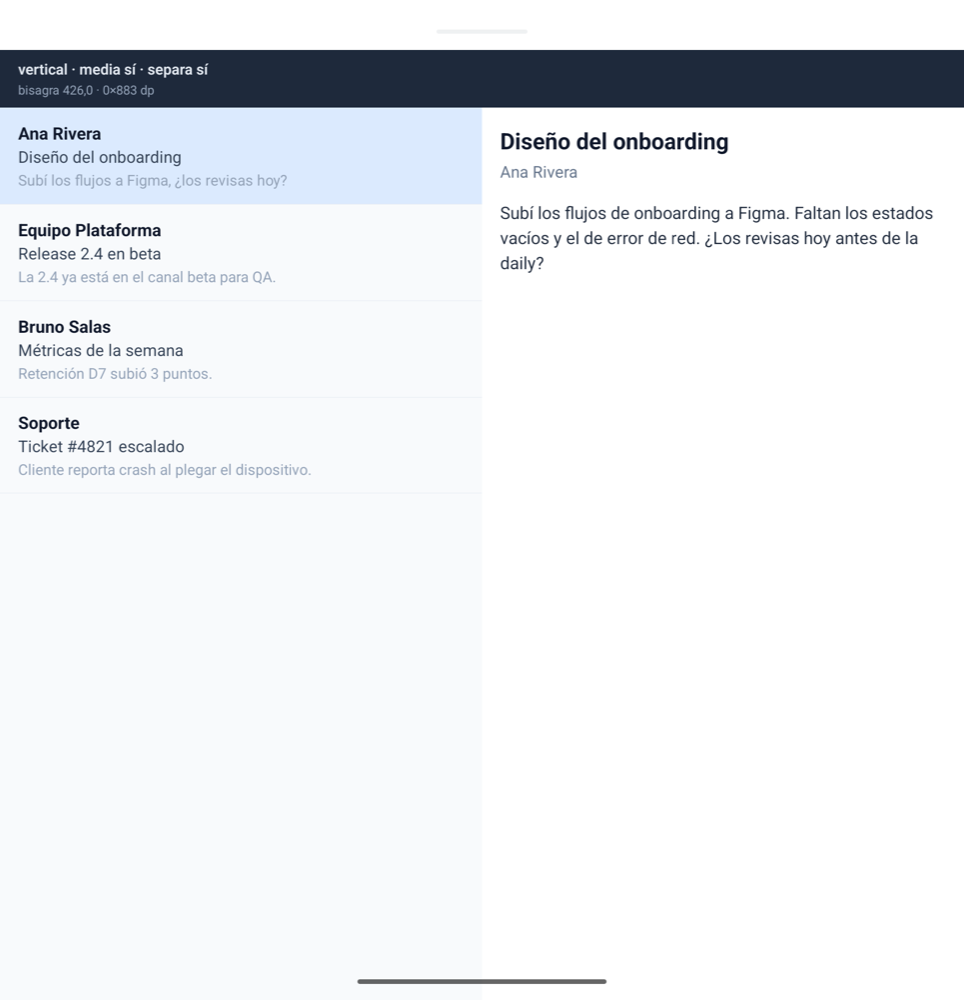 |
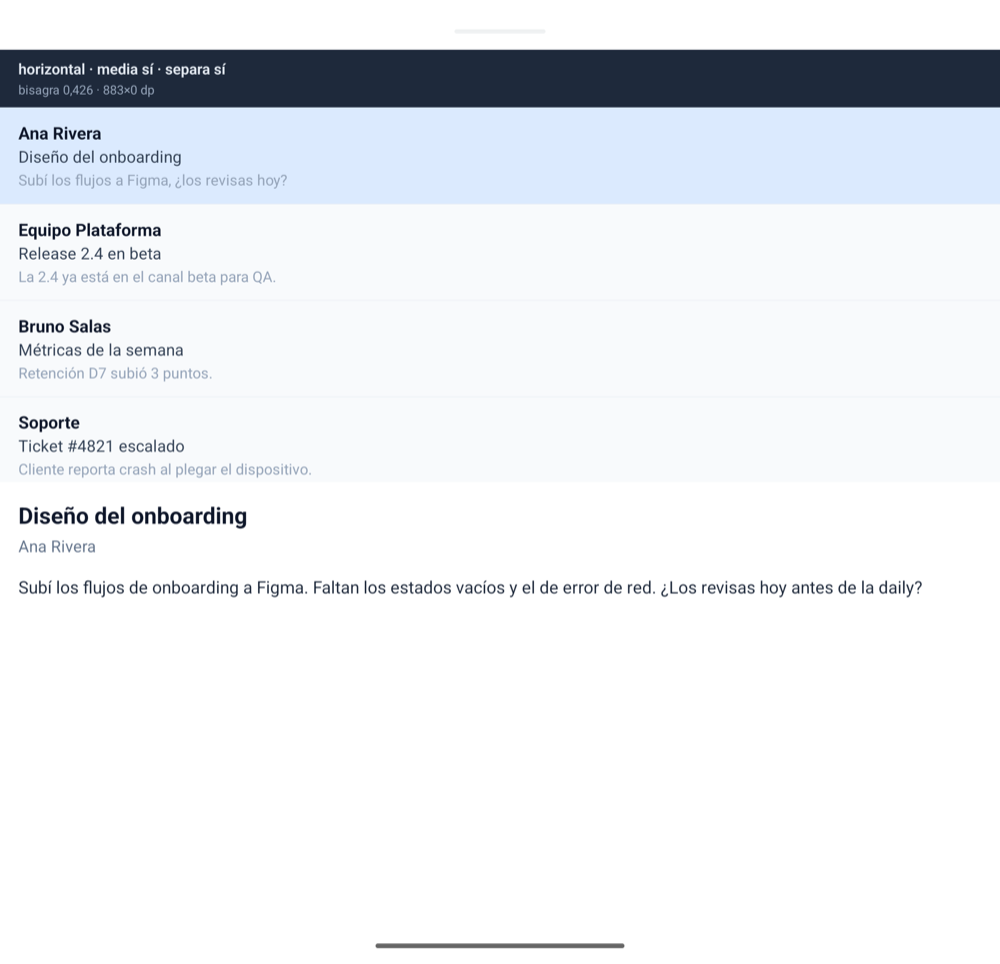 |
- React Native 0.80 or later with the New Architecture (this is a Turbo Module).
- React 19.1 or later.
yarn add @acertijosapps/react-native-foldor with npm:
npm install @acertijosapps/react-native-foldimport { FoldBookPane, FoldPane, FoldProvider } from '@acertijosapps/react-native-fold';
function App() {
return (
<FoldProvider>
<FoldBookPane
start={<Left />}
end={<Right />}
fallback={
<FoldPane
primary={<Top />}
secondary={<Bottom />}
fallback={<Single />}
/>
}
/>
</FoldProvider>
);
}useFold() returns:
type FoldState = {
  isSeparating: boolean;
  isHalfOpened: boolean;
  orientation: 'horizontal' | 'vertical';
  bounds: { x: number; y: number; width: number; height: number };
} | null;
bounds is always in dp: Android divides by density in Kotlin; iOS points are already
density-independent.
FoldPane splits only when isSeparating && orientation === 'horizontal', and falls back when the hinge is not strictly inside the pane. It measures its own position
in the window, so panels line up with the hinge even below a header; the spacer takes the
hinge height and it never splits 50/50.
FoldBookPane is the book-posture counterpart: it splits start | end side by side only
when isSeparating && orientation === 'vertical', measures its own x offset
in the window and reserves bounds.width between both panels (the fold plus its margins on
iOS, the fold line on Android). Nest FoldPane as its fallback to cover both postures.
Both take splitWhen (FoldSplitWhen):
'separating'(default) splits whenever the hinge separates the content: half opened, or a fully open device whose hinge still divides the screen (dual-screen devices). On single-screen Android foldablesisSeparatingis only true when half opened.'halfOpened'also requiresisHalfOpened, the 1.0 behavior.
FoldBookPane takes splitWhenWide (default false). When there is no separating hinge and
the window is at least 840 × 480 dp (Material's expanded width, without a compact height),
it splits start | end 50/50 with no spacer:
<FoldBookPane splitWhenWide start={<List />} end={<Detail />} fallback={<List />} />- Tablets split in landscape and keep
fallbackin portrait; phones in landscape stay single pane because their height is compact. - It reads the window (
useWindowDimensions), so iPad Split View, Stage Manager and Android multi-window resize it correctly; a flat foldable's inner display counts as a small tablet. - A real hinge always wins: a separating vertical hinge splits at the hinge, and a separating
horizontal one keeps
fallbackso a nestedFoldPanecan take the tabletop posture. useFold()is not affected: it still reports only physical hinges.
- Android:
WindowInfoTrackerCallbackAdapter+FoldingFeature(androidx.window1.5.1). - iOS 27.1+:
UIHingeInteractionfor the hinge status plusUIViewReservedRegion(divisionRegionKind) for the geometry.boundsis the division region frame, including the margins iOS reserves around the fold for interactive content.orientationcomes from the region's aspect,isSeparatingfrom the region being active andisHalfOpenedfromPartiallyOpen. On the cover display there is no division region anduseFold()isnull; below iOS 27.1 it is alwaysnull.
Made by AcertijosApps. See the rest of our libraries at acertijosapps.com/librerias.
Questions or proposals: acertijos.contacto@gmail.com or open an issue.
MIT