
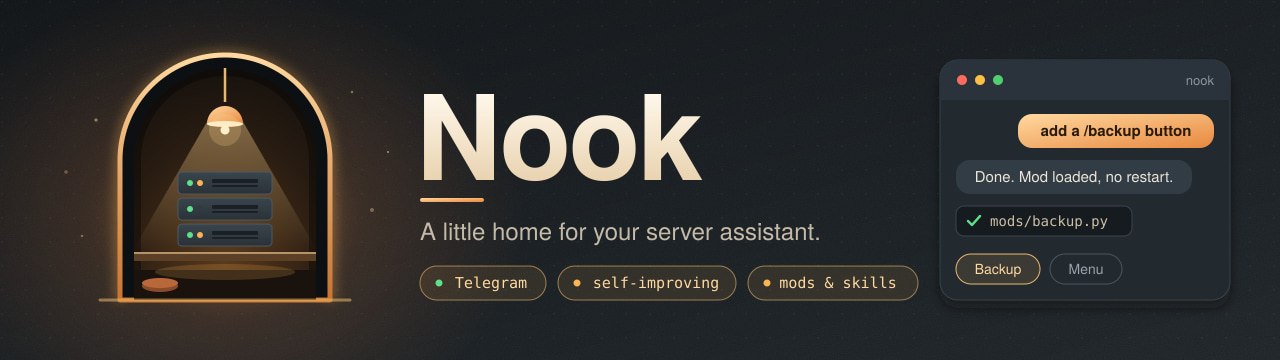
A little home for your server assistant.
Nook is a self-hosted Telegram assistant that helps you look after a Linux server. Ask it to inspect logs, investigate a failed service, check disk usage, or carry out maintenance. It keeps local notes between conversations and can ask for confirmation before privileged commands.
Русская инструкция · Security · Contributing · MIT license
Early preview — 0.1.1. The Telegram interface and installation wizard are currently in Russian. Documentation is available in English and Russian. Full installation of this renamed release on a fresh VPS has not yet been verified; use a separate test server first.
Changes in this release: changelog.
Describe a capability in chat, and Nook can implement it in its own installation. Add a menu button, connect a service, write a skill, or build a background task without doing the implementation yourself. The assistant can inspect its source, write a Python mod, check it, and load supported mods without restarting the bot. Larger changes can also involve the core, with backups, validation, and a restart when needed.
For example: “Connect my copies so they can exchange messages” became the peer messaging module, its Telegram button, and tests. Skills and separately configured integrations let the assistant add tools and keep the instructions for using them. This works within the Linux account's permissions and your approval settings; results still need verification.
This public repository was prepared and published by Domovoy itself, the assistant from which Nook grew, at its owner's request. The work included preparing the source release, documentation, installer, banner, tests, and GitHub updates. The owner sets the direction; the assistant carries out the development. Third-party tools and dependencies retain their own authorship and licenses.
- Chat, images and files through your own Telegram bot, with task queues and a stop button.
- Run tasks with Codex CLI, Google Antigravity CLI, or Mercury. Model availability depends on your provider account.
- Continue Mercury conversations and use Mercury as a fallback when Codex runs out of quota.
- Keep local Markdown notes, inspect projects, and watch services and resource usage.
- Manage your other servers over SSH and schedule reminders or maintenance tasks.
- Customize answer buttons, the main menu, icons, premium emoji, colors, and button layout. Choose a minimal, standard, or full layout.
- Add trusted Python mods, agent skills, and separately configured integrations.
- Choose your GitHub account or a separate agent account during setup, with private token storage and a separate Git identity.
- Optionally use a root helper that requests approval through Telegram.
Nook is an autonomous administrative tool. It runs commands with the Linux user's permissions. Agent instructions are not a sandbox, and its monitoring does not replace backups. Read SECURITY.md before granting it access.
Choose Nook for a server assistant that you can ask to extend itself from Telegram. Its main strength is that conversational development workflow, combined with server maintenance tools and a customizable bot interface.
- Server care is built in. Service and resource monitoring, a project inventory, SSH nodes, scheduled maintenance, and checks after a repair share the same workflow. Guard compares system snapshots for changes;
watchfixcan alert the agent when a registered health check fails so it can investigate or restore a backup. Configure your inventory, nodes, and checks for your own servers. - Everyday controls stay in Telegram. Pick a model, inspect available quotas, stop a task, continue a Mercury conversation, or approve a privileged command with buttons. Change which buttons appear, their layout, colors, and premium emoji directly in settings.
- Use the provider tools you already have. Nook runs Codex CLI and Antigravity CLI and offers Mercury as a Codex quota fallback. Bring your own accounts and keys; provider quotas and charges still apply.
- Adapt the bot with Python. Add buttons, handlers, and background tasks through local mods. Keep operational notes in editable Markdown files.
OpenClaw is worth choosing when you want a broad personal assistant across messaging platforms and companion apps. It offers a Gateway, a web control UI, and extensible tools, skills, and plugins.
Hermes Agent is worth choosing when you want a general agent with a terminal UI, a learning loop, skill creation, searchable conversation history, multiple execution backends, and messaging integrations.
Both projects also support Telegram and extensibility; those features alone are not unique to Nook. This comparison describes fit, based on their official READMEs reviewed on November 6, 2026; resource documentation was checked on November 7, 2026. Nook has no comparative benchmarks establishing better speed, cost, reliability, or security. It is an early preview, with a Russian interface and a fresh-VPS installation still to validate.
These are documented deployment requirements, not measured process consumption:
| Project | RAM guidance | CPU guidance |
|---|---|---|
| Nook | Approximately 2 GB recommended in this installation guide for charts and optional voice recognition; minimum not established | Minimum not established |
| OpenClaw | 1 GB absolute minimum | 1 core minimum |
| Hermes Agent (Docker) | 1 GB minimum; 2–4 GB recommended | 1 core minimum; 2 cores recommended |
Sources: OpenClaw official quick-start FAQ and Hermes official Docker resource limits, checked November 7, 2026. Hermes recommends at least 2 GB with browser tools. Nook's 2 GB guidance is a starting recommendation, not a validated limit for every workload.
A real Nook-origin instance used about 103 MiB RSS for its main bot process. This was Domovoy, the running installation from which Nook was extracted, sampled on November 7, 2026: three one-second-spaced Linux /proc/<pid>/status readings each reported VmRSS: 105384 kB. It was running during a documentation task, not a controlled idle benchmark of a fresh Nook installation. This excludes agent CLI subprocesses, browser processes, local voice recognition, and the rest of the server.
We have not run all three projects under the same workload. The process snapshot cannot be compared directly with machine RAM requirements, and it does not establish that Nook uses less total memory or CPU. Browser automation, local models, voice recognition, and concurrent tasks can substantially increase usage. No comparable CPU or peak-memory measurements are available yet.
GitHub setup: use your account, a separate agent account, or connect later. The wizard verifies the token's account; bin/github-git uses that identity without changing global Git settings. Separate accounts must be registered by a human. Already installed? Run python3 install.py --github-only from your updated source folder.
Pair your Nook copies over existing SSH access to exchange signed messages. Optional Mercury replies use no tools or server data. Open More → Mods → Связь с копиями in Telegram, or ask your assistant to connect a copy.
Open More → Mods → Обновить Nook to check GitHub and confirm an update. Nook preserves your configuration, memory, conversations, keys, and custom extensions. Conflicting local source changes stop the update. It backs up affected code, waits for current tasks, and uses an independent supervisor to restart the bot and roll back failed startup. Dependency or data-format migrations require separate work.
Update and recovery guide · CLI: bin/nook-update check. Automatic restarts support the installer's user nook.service; older installations need a reviewed initial migration. Do not rerun the installer to update.
Use an interactive SSH terminal on Ubuntu 24.04 or Debian 12+ (Ubuntu 22.04 needs a separately installed Python 3.11+), with Python 3.11+, systemd, and a regular user who can use sudo. Other distributions and containers without user systemd need manual setup. Allow approximately 2 GB RAM for charts and optional voice recognition; actual usage depends on your workload.
Install with one command from an interactive SSH terminal:
curl -fsSL https://raw.githubusercontent.com/Sppqq/nook/main/bootstrap.sh | bashThe wizard offers a provider preset, optional voice recognition, a configuration preview, hidden token entry, and progress indicators. It downloads a coherent GitHub snapshot and checks its manifest before installing. To inspect the source first:
git clone https://github.com/Sppqq/nook.git
cd nook
bash install.sh --check
bash install.sh
The wizard asks for:
- A token for your own Telegram bot, created with BotFather.
- Your numeric Telegram user ID. Only that user can control the bot.
- Your own provider logins and, if you enable Mercury, an Inception Labs API key.
Run as a regular user, not root. The default target is ~/nook; installing from that clone uses it in place. Existing configured installations are never overwritten. Tokens are entered without echo and stored in files with mode 600. The installation log is ~/.cache/nook/install.log. The default timezone is Europe/Moscow; set your own with --timezone.
Antigravity login is interactive: open the supplied link in your browser, finish authorization, and exit the client to continue installation. Provider authorization does not guarantee quota or model capacity.
Open your bot in Telegram after setup. Do not run two instances with the same Telegram token.
bash install.sh --timezone Europe/London
bash install.sh --target "$HOME/my-nook"
bash install.sh --skip-antigravity --skip-mercury  # Codex only
bash install.sh --skip-codex --skip-antigravity    # Mercury only
bash install.sh --voice                           # Local voice recognition
bash install.sh --no-start                        # Prepare without starting
bash install.sh --no-system-packages              # OS packages already installed
Codex is the default preset. If you choose only another provider, the installer selects it as the initial model. Use --yes to keep CLI flags and skip the preset menu and plan confirmation; account logins remain interactive. Each provider requires your own account; subscriptions, quotas, or API charges may apply. For unattended key entry, --mercury-key-file accepts a private local file.
Resume provider setup or finish an interrupted service installation:
bash install.sh --providers-only --target "$HOME/nook"
bash install.sh --finish-service --no-start --target "$HOME/nook"
Restart the service after reconfiguring providers:
systemctl --user status nook.service
journalctl --user -u nook.service -n 80 --no-pager
systemctl --user restart nook.service
The wizard enables user linger so the service can survive logout. Optional Whisper voice recognition downloads a model on first use and requires extra disk space.
Start without it. If you choose to install it, run this from the configured installation, after reading SECURITY.md:
sudo bash setup/install-root.shThe script asks for confirmation and validates sudoers. It permits specified service, log, and package operations without a password; other root commands use Telegram approval. Full-access mode bypasses individual confirmations until its expiry. This mechanism is not a security boundary against compromise of the bot's own Linux account.
The repository contains source code and empty runtime templates under templates/runtime/. Installation creates config.json, secrets.env, state.json, memory/, spool/, keys/, nodes.json, and ssh_config locally. These paths, conversations, logs, backups, and uploaded files are ignored by Git. Provider credentials live in the user's home directory and are not distributed.
Do not upload an installed directory or attach it wholesale to an issue. Review diffs before every commit: .gitignore is a convenience, not a secret scanner.
The project registry starts empty at memory/registry.json. Ask Nook to inventory your projects, or maintain the registry yourself. bin/projects --refresh updates the snapshot.
- Trusted Python mods live in
mods/; seemods/_example.py. - Agent instructions and skills live in
AGENTS.mdand.agents/skills/. owner_api,openbot_bridge, andcodex_accountsare disabled by default.- Account switching requires a separate compatible
codex-authutility (list,switch, andimport). That utility is not bundled. Standard Codex login is independent of it. - OpenBot, Status Board, backups, DNS, GitHub, and MCP integrations need separate configuration and credentials. They are not preconfigured services in this release.
The Russian menu labels for interface customization are Меню → Настройки (Menu → Settings), then Под ответами (Answers), Главное меню (Main menu), or Оформление (Appearance). Changes save immediately. Hidden sections remain available under Ещё (More); interface presets do not change monitoring or provider settings.
Tests use Python's standard library. Installer tests mock external calls and system changes; Gemini cleanup tests use local subprocesses without provider credentials.
python3 -m unittest discover -s tests -v
python3 tools/build_release.py
bash install.sh --check
The release builder uses Git's tracked file list, rejects private runtime paths and common credential patterns, and creates reproducible ZIP/JSON bundles plus checksums under dist/. Checksums detect corruption; they do not authenticate a download server.
See Architecture, Contributing, and Changelog. This preview has automated tests, not an independent security audit or a complete clean-VPS acceptance test. Rollback monitoring depends on the bot remaining available. CLI providers and Telegram features may change independently.
MIT. External libraries and provider tools retain their own licenses and service terms. Nook is an independent project and is not affiliated with Telegram or its model providers.
Security review: 2026-11-07 findings and fixes.