
Desktop GUI client for NodeDB. Studio is built with Dioxus and Rust. It holds one connection at a time and shows a purpose-built viewer for each storage profile. It also provides tool screens for graph, vector, timeseries, spatial, and search.
NodeDB has eight peer engines: Document (schemaless), Document (strict), Key-Value, Columnar, Timeseries, Spatial, Vector, and Array. Graph and Full-Text Search are overlays on any collection.

Studio implements every screen of the Calm Workbench design. Each screen reads and writes through typed models and mock data. No network or database I/O exists yet.
- Backend seam: Every call goes through the per-domain backend traits. The mock implementation answers every call. The real-client stub returns
StudioError::NotConnected. - Changes: Schema, access, policy, config, backup, cluster, sync, lifecycle, and backfill changes show a review before they apply.
- Revision check: Every write sends the revision its read or review saw. The backend refuses a stale revision.
- Panels: Drag a divider to resize a panel. Show or hide panels from the View menu. A hidden panel keeps its filters, selection, and size.
- Persistence: Panel layout and preferences save to
workspace.jsonandpreferences.json. On Linux, the files live in$XDG_CONFIG_HOME/nodedb-studio, or~/.config/nodedb-studiowhen that variable is unset. A missing or invalid file falls back to defaults. - Themes: Light and dark themes. Preferences set
System(the default),Light, orDark.
Known limit: panels do not dock or move between areas yet. The grip marks the drag handle only.
CI captures the scenes when a change touches the app or the capture scripts. The images for main live on the screenshots branch, in light/ and dark/. No PNG enters main.
| Query plan | Graph Explorer |
|---|---|
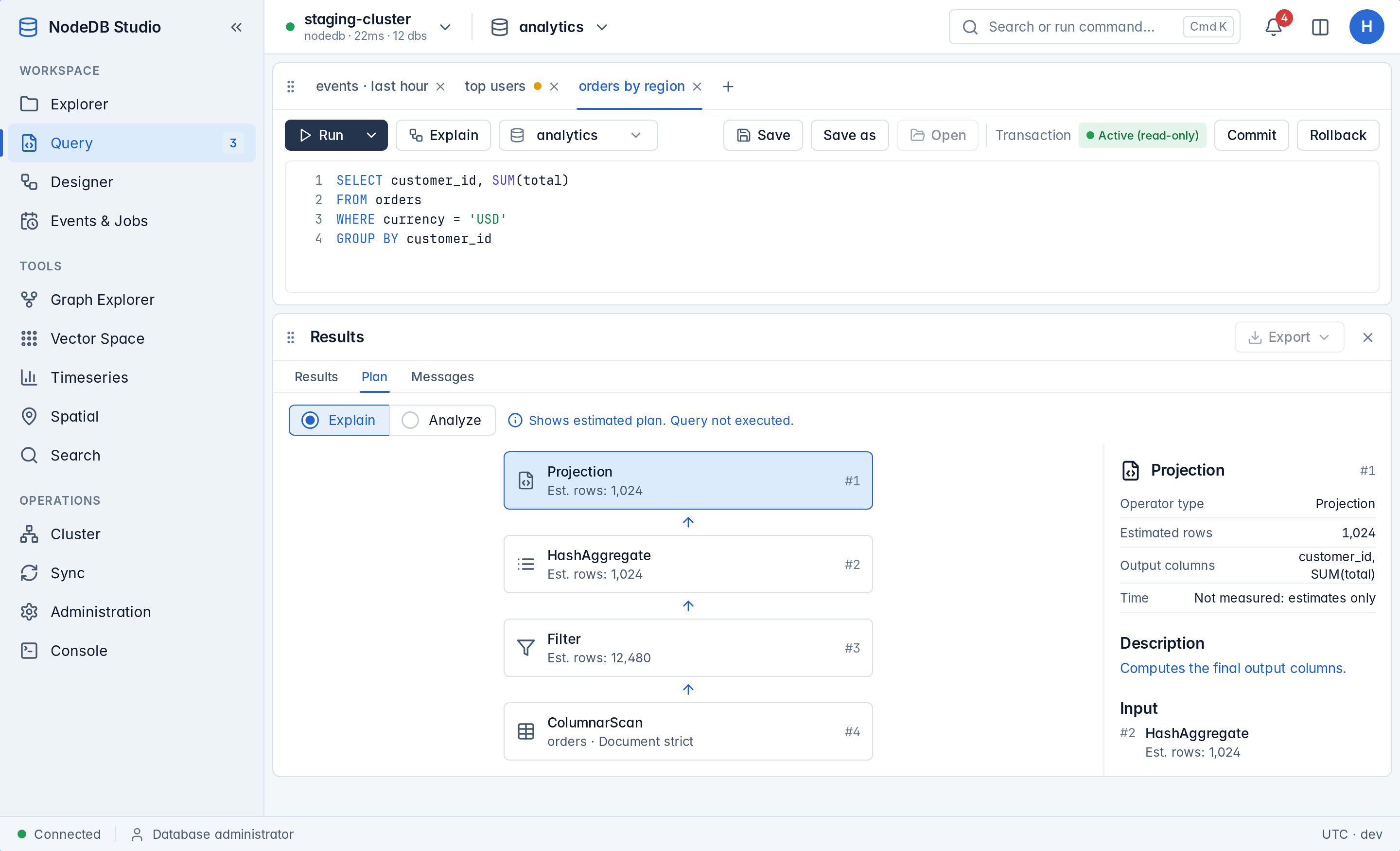 |
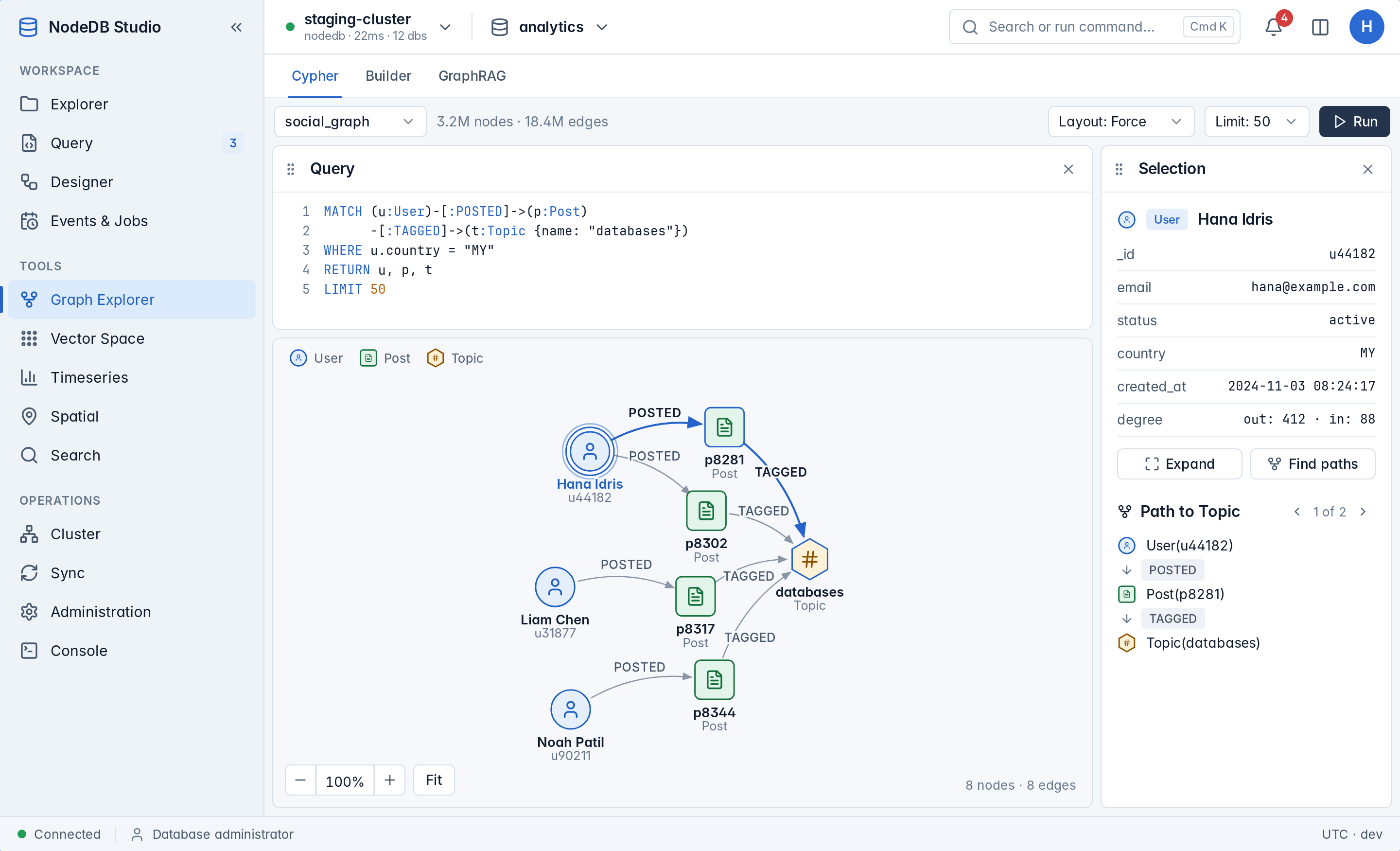 |
| Vector Space search | Timeseries explore |
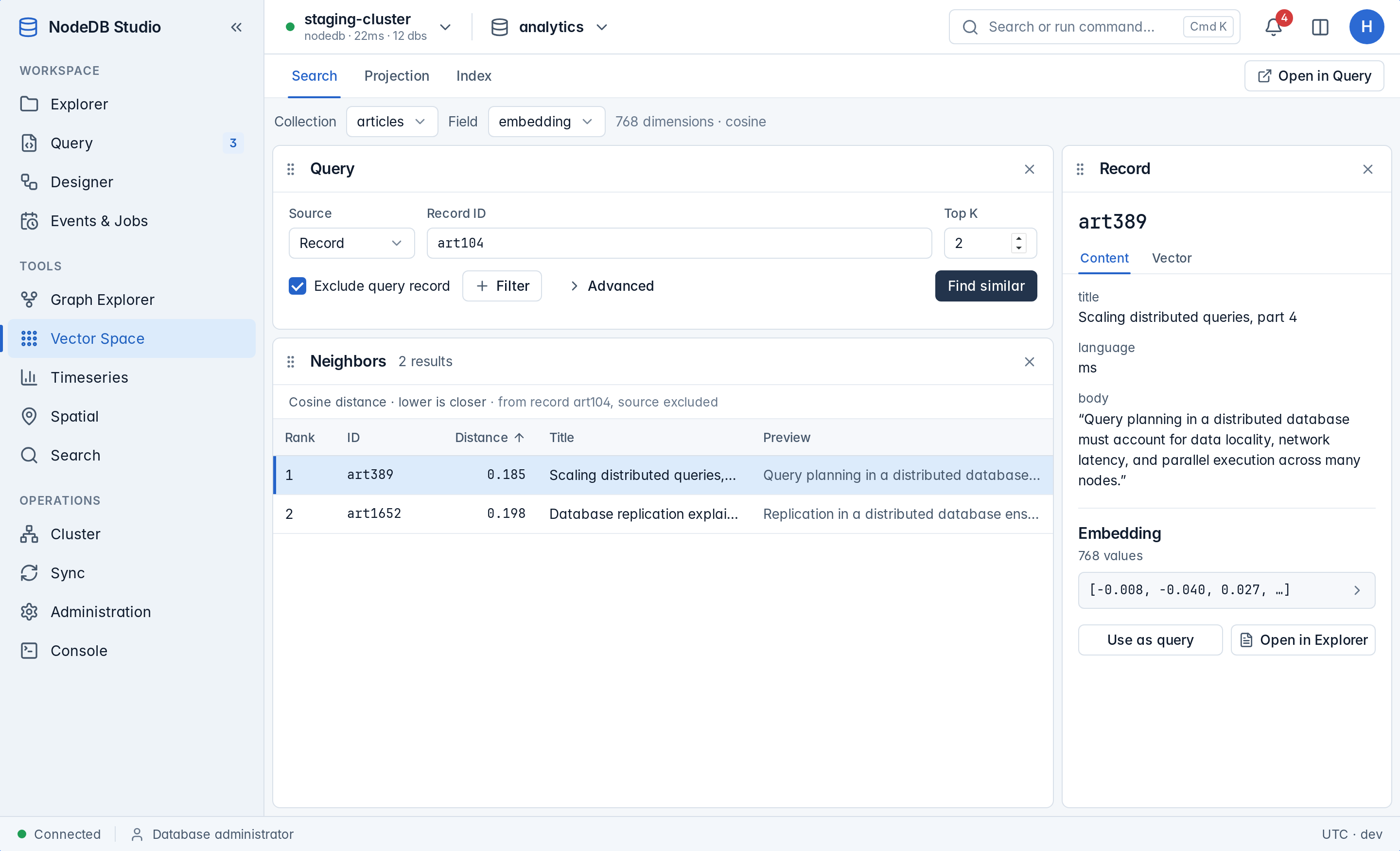 |
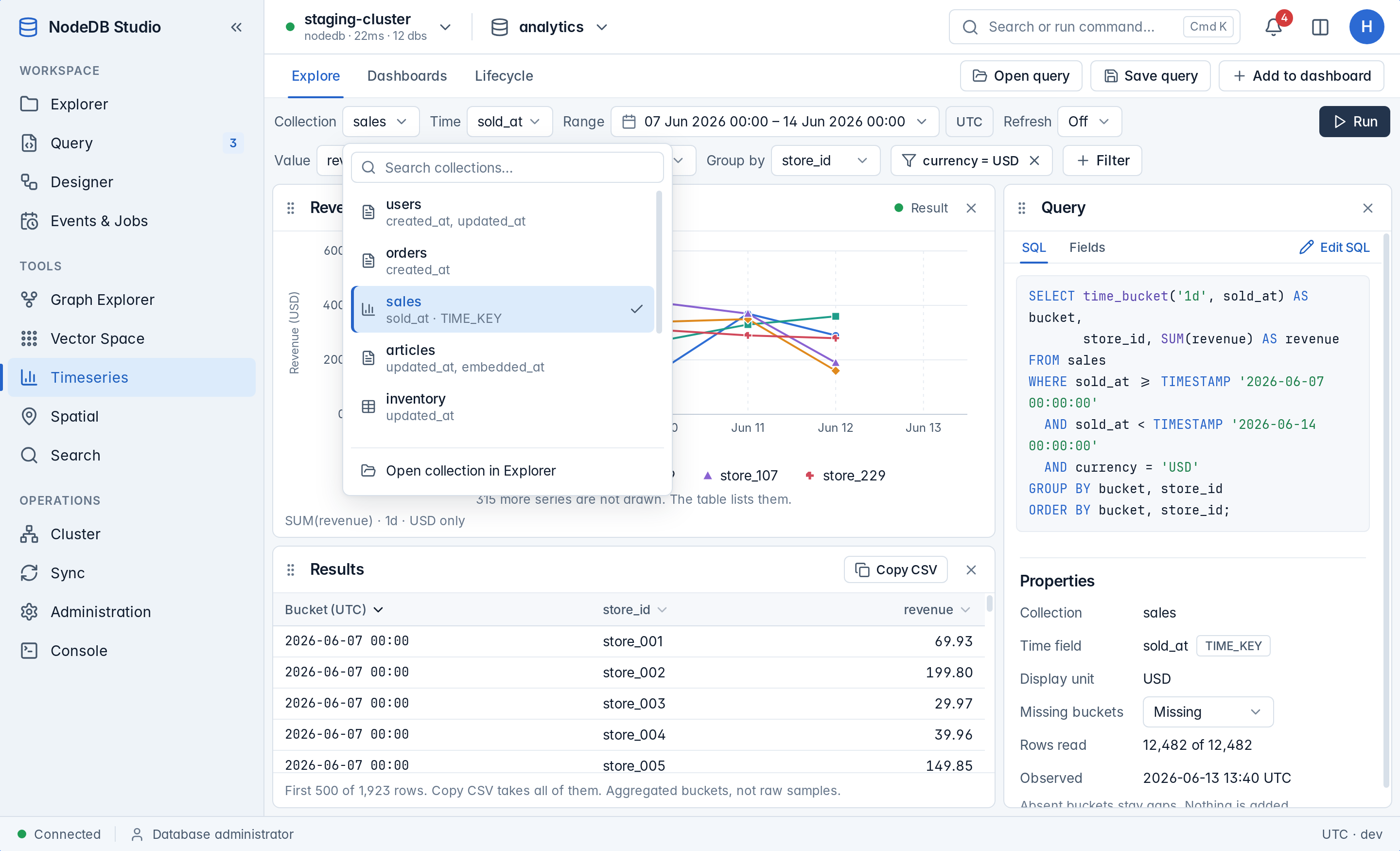 |
| Spatial map | Cluster nodes |
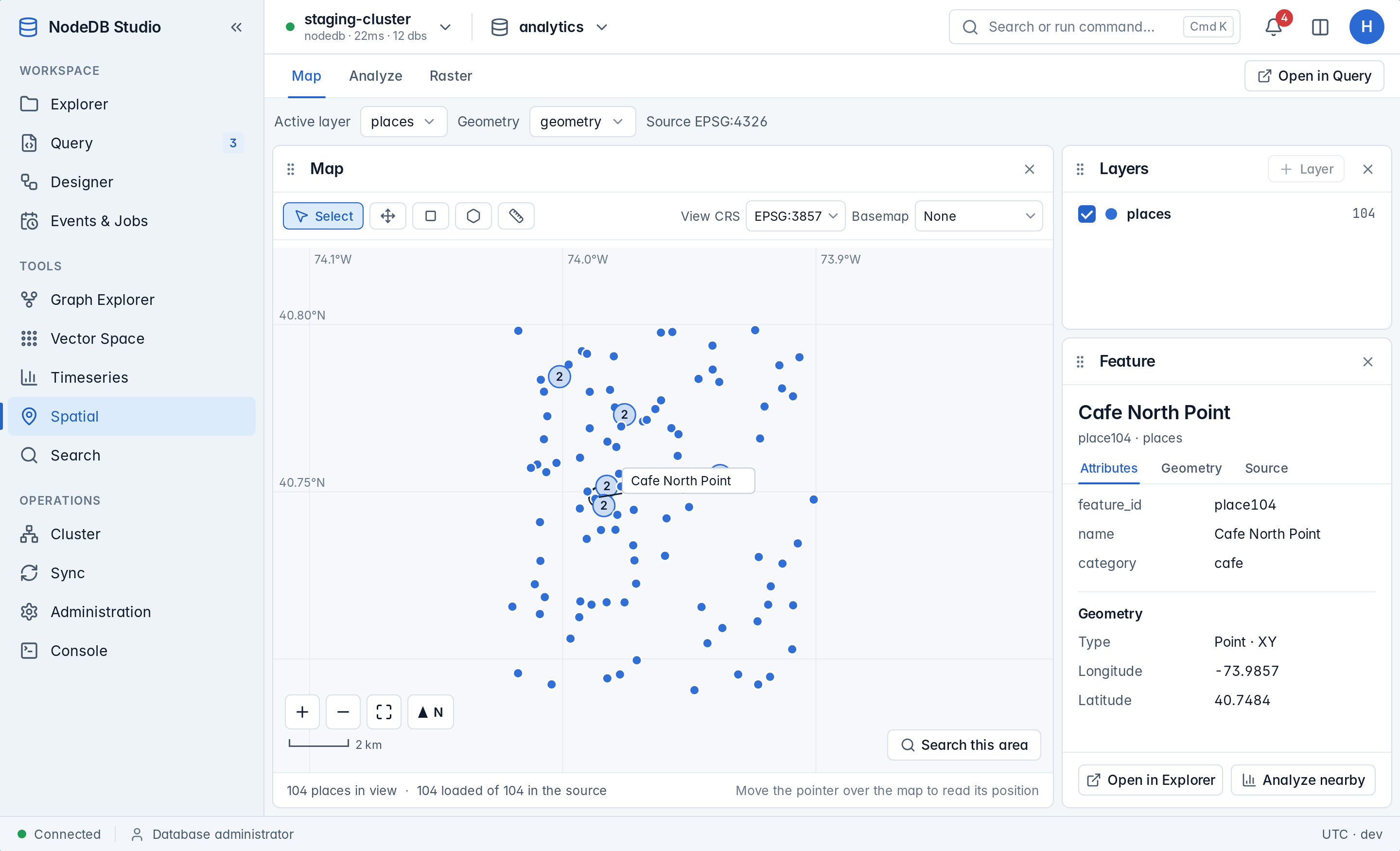 |
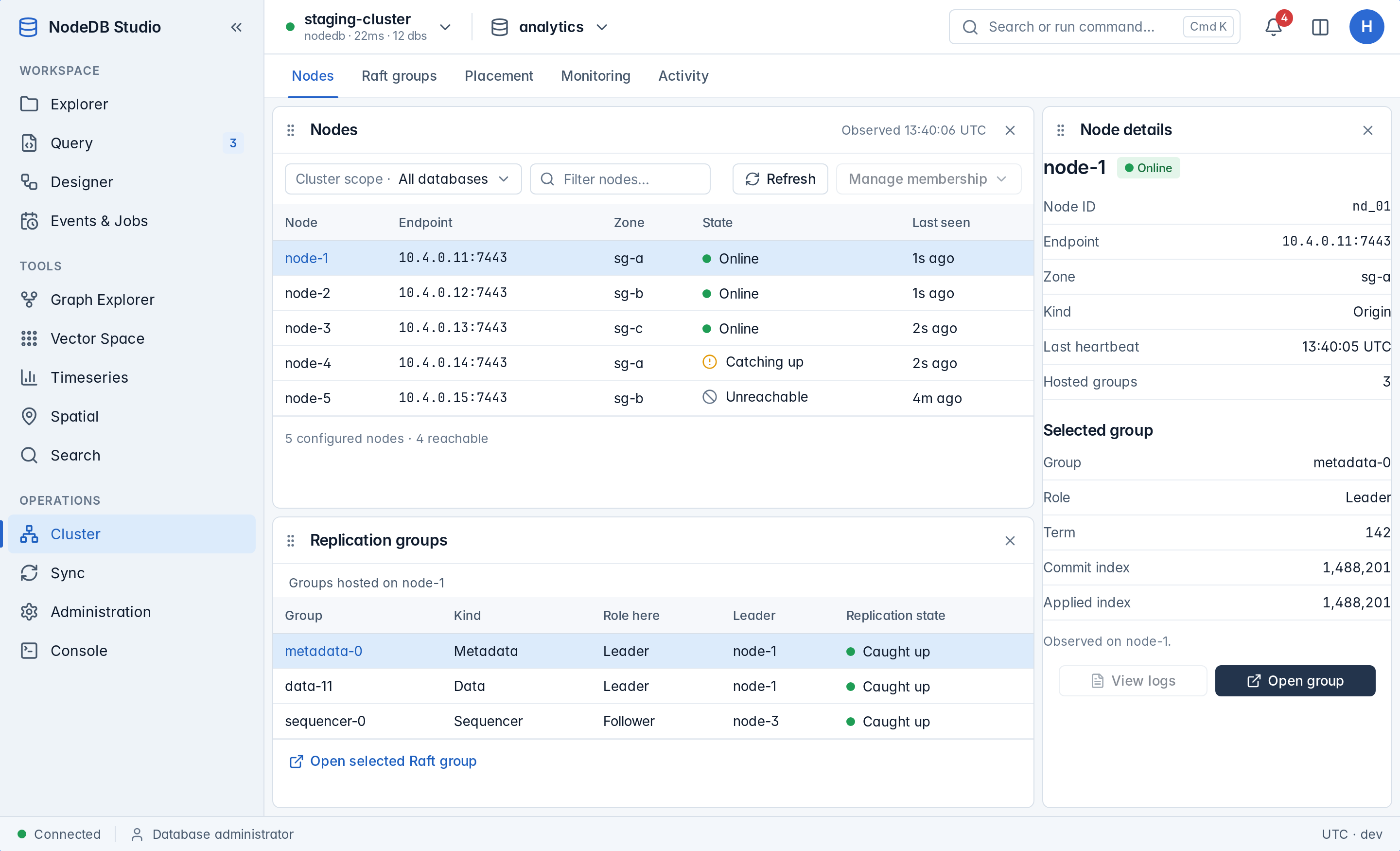 |
| Sync devices | Administration access |
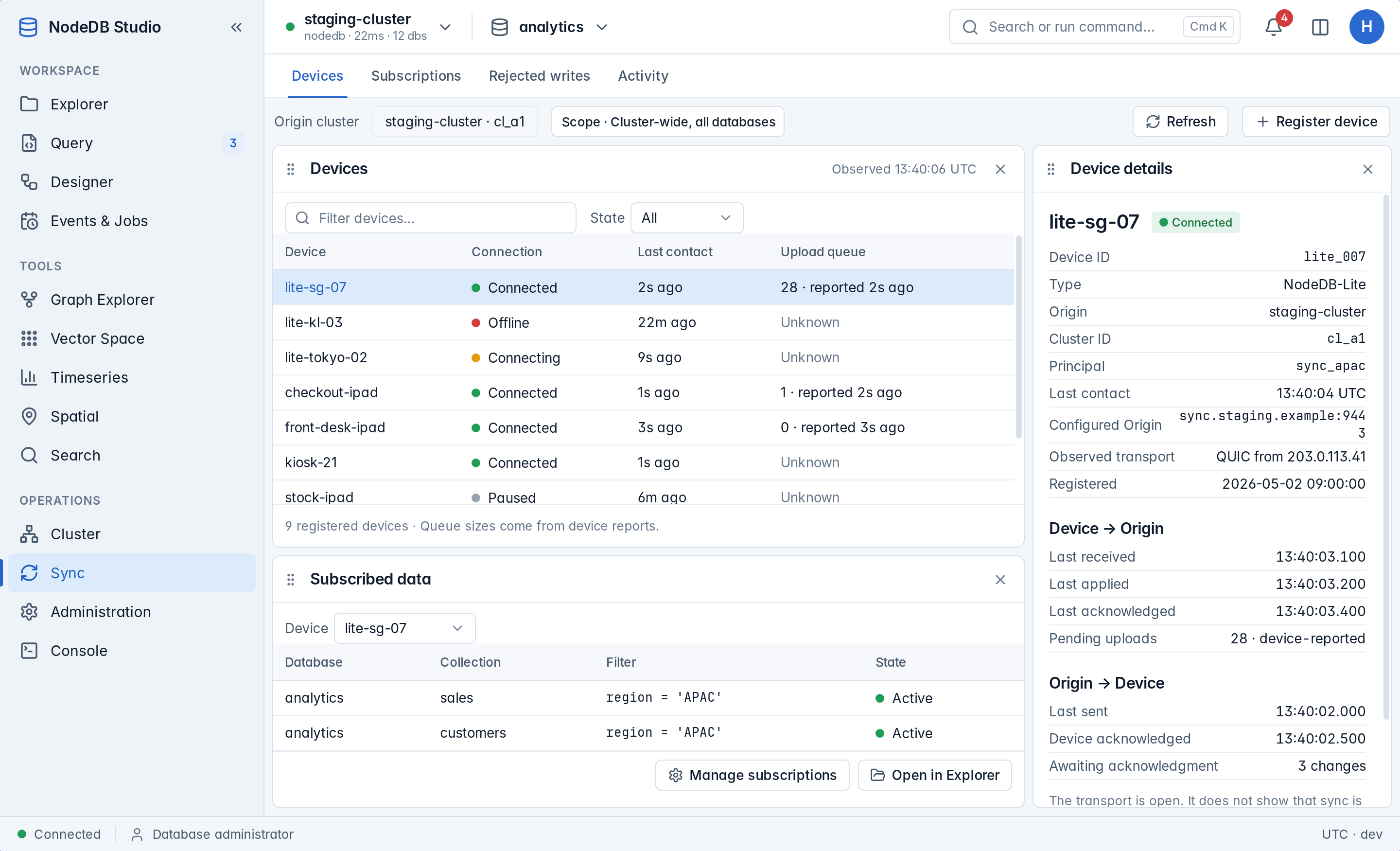 |
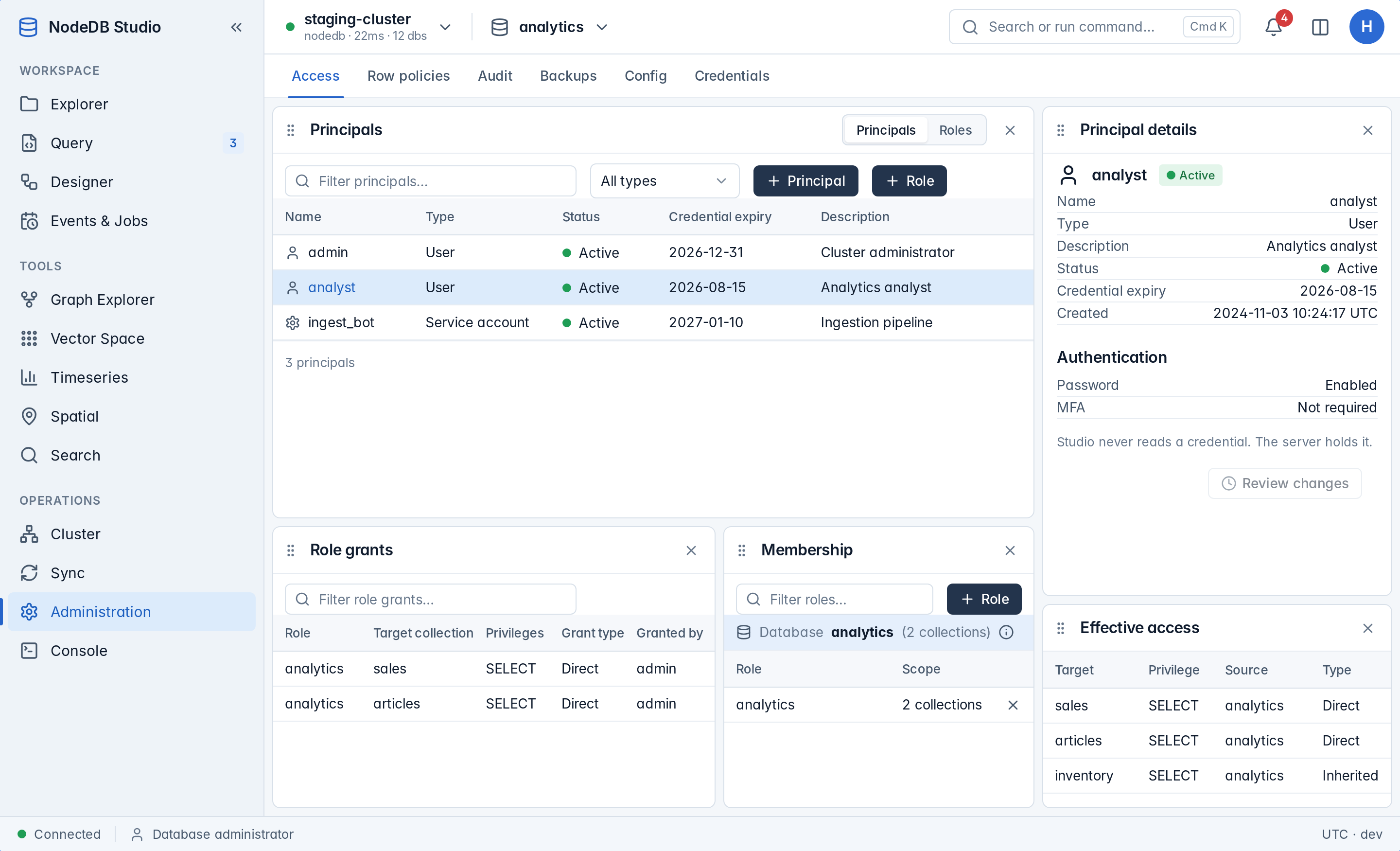 |
Capture the scenes locally (Linux, needs Xvfb):
scripts/screenshots.sh # writes <cargo target dir>/screenshots/{light,dark}/*.pngFor output that matches CI, install the Inter and JetBrains Mono fonts.
The scenes live in nodedb-studio/src/screenshots/scenes.rs and the *_scenes.rs modules beside it. A new screen or overlay needs a scene. A pull request run uploads the images as a workflow artifact. Its job summary lists the screens that differ from main.
The sidebar groups every screen. A screen that the active connection cannot serve does not appear.
- Workspace: Explorer, Query, Designer, Events & Jobs.
- Tools: Graph Explorer, Vector Space, Timeseries, Spatial, Search.
- Operations: Cluster, Sync, Administration, Console.
Screens with tabs carry the tab in the URL, for example /cluster/raft-groups.
| Screen | Tabs |
|---|---|
| Events & Jobs | Change feeds, Materialized views, Topics, Notifications, Scheduled jobs |
| Graph Explorer | Cypher, Builder, GraphRAG |
| Vector Space | Search, Projection, Index |
| Timeseries | Explore, Dashboards, Lifecycle |
| Spatial | Map, Analyze, Raster |
| Search | Search, Analyze, Indexes |
| Cluster | Nodes, Raft groups, Placement, Monitoring, Activity |
| Sync | Devices, Subscriptions, Rejected writes, Activity |
| Administration | Access, Row policies, Audit, Backups, Config, Credentials |
Backfill is a Timeseries URL (/timeseries/backfill) that lights the Timeseries entry. The tab strip does not show it. Data transfer opens under Explorer at /explorer/transfer.
This is a Cargo workspace. The app is the nodedb-studio member crate. It requires the Rust toolchain named by rust-version in the root Cargo.toml. Run rustup update stable if Cargo reports that your toolchain is too old.
cargo run -p nodedb-studio      # opens the desktop window (1440x900)
cargo build --release           # binary at target/release/nodedb-studio
cargo nextest run               # runs the tests; install with: cargo install cargo-nextest --locked
cargo clippy --workspace --all-targets --all-features -- -D warnings
cargo fmt --all
Run the tests with cargo nextest run, not cargo test. Run fmt, clippy, and nextest before you push.
Start the app through cargo run. Dioxus loads asset! stylesheets from the source tree only when CARGO_MANIFEST_DIR is set. A bare binary counts as a dx bundle and loads no stylesheet.
The crate depends on nodedb-client and nodedb-types. Until those crates are on crates.io, point them at a local NodeDB checkout with a Cargo patch.
Create .cargo/config.toml at the workspace root. It is gitignored, so it stays machine-local:
[patch.crates-io]
nodedb-client = { path = "../nodedb/nodedb-client" }
nodedb-types  = { path = "../nodedb/nodedb-types" }
Adjust the paths if your NodeDB checkout lives elsewhere. Make sure the version pinned in Cargo.toml matches your local NodeDB workspace version. Studio imports both crates for typed values and errors, such as nodedb_types::Value and nodedb_client::NodeDbError. It enables no native feature, so no network transport builds.
nodedb-studio/                       repository root
├── Cargo.toml                       workspace manifest
├── scripts/
│   ├── screenshots.sh               captures every scene, light and dark
│   └── screenshots-diff.sh          compares two capture sets
└── nodedb-studio/                   the app crate
    ├── assets/                      tokens.css, base.css, one stylesheet per area
    └── src/
        ├── main.rs                  desktop launch, window config, --screenshots mode
        ├── app.rs                   root: context providers, Connection Manager or Studio
        ├── routes/                  Route enum, tab sets, sidebar destinations, StudioLayout
        ├── components/              shared chrome and widgets: sidebar, panel, modal,
        │                            view_menu, command_palette, popovers/, icon/
        ├── modals/                  dialogs: connection_form, preferences, record_editor, host
        ├── models/                  typed domain models, one module per concept
        ├── services/                backend seam
        │   ├── backend.rs           Backend: composes the domain traits
        │   ├── *_data.rs            one trait per domain (17 files)
        │   ├── mock/                MockConnectionService: implements every trait
        │   └── nodedb/              NodeDbConnectionService: stub that returns NotConnected
        ├── data/mock/               all mock fixtures: one folder per domain, plus connections.rs and transfer.rs
        ├── state/                   signals: workspace, persist, panel_registry,
        │                            preferences, ui, and one module per screen
        ├── screenshots/             scene list and capture driver (feature `screenshots`)
        └── views/                   one folder per screen: admin, cluster, connections,
                                     console, designer, events, explorer, graph, query,
                                     search, spatial, sync, timeseries, vector
Every screen reads and writes through Backend, defined in src/services/backend.rs. It is a trait object that app.rs provides as context. Each domain has its own trait in src/services/. Backend composes all of them:
pub trait Backend:
    ConnectionService
    + FeedData
    + TopicData
    + MatViewData
    + ListenData
    + JobData
    + ExplorerData
    + AdminData
    + ClusterData
    + WorkbenchData
    + SyncData
    + TimeseriesData
    + VectorData
    + SearchData
    + SpatialData
    + GraphData
    + TransferData
    + DesignerData
{
}
Each domain trait uses #[async_trait(?Send)]. For example, ExplorerData in src/services/explorer_data.rs declares:
#[async_trait(?Send)]
pub trait ExplorerData {
    /// Every collection of the active database, in display order.
    async fn catalog(&self) -> Result<Vec<Collection>, StudioError>;
    // ...
}
The seam works as follows:
app.rsprovides oneRc<dyn Backend>:use_context_provider(|| Rc::new(MockConnectionService::ready()) as Rc<dyn Backend>).- A screen calls
use_context::<Rc<dyn Backend>>()and calls the method it needs. src/services/mock/implements every domain trait onMockConnectionService. Its data comes fromsrc/data/mock/.src/services/nodedb/holds a stub for each trait onNodeDbConnectionService. Every method returnsStudioError::NotConnected. The app does not construct this type yet.
To add a domain, add its trait file, extend the Backend bound, and implement the trait on the mock and the stub. Existing methods do not change.
To connect a real client, implement the stub methods with client calls. Then construct the real type in app.rs in place of the mock. Map each use_resource result into AsyncState.
Apache-2.0. See LICENSE for details.